
marco.is.not.80
-
Posts
398 -
Joined
-
Last visited
-
Days Won
1
Recent Profile Visitors
2400 profile views


marco.is.not.80's Achievements






-
that was it, L double E! Thanks!
-
Not sure but usually I get a size error in that case but let me try to see if reducing the photo of the rig will help. Thanks for suggestion.
-
Just tried again in case it had fixed itself and same error.
-
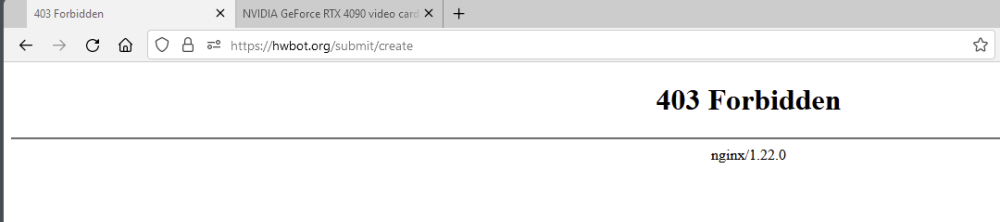
Hello my hwbot brothers (and sisters?), I'm getting the following when trying to submit results for a TimeSpy Extreme run: Any ideas?
-
 Nice man - that card is so overclocking unfriendly all I can say is that you should get first just for trying ;-)
 -
If you want your score to be deleted ask here...
marco.is.not.80 replied to Leeghoofd's topic in Support
Please delete the following entry - it's not using ECC so it no longer generates points but my latest entry doesn't score as high so it's not generating points either since HWBot doesn't think it's my best score. The only thing I can think of that will fix that is by removing it: https://hwbot.org/submission/5105341_marco.is.not.80_unigine_superposition___8k_optimized_geforce_rtx_4090_15665_points/ Thanks! -
Ah, I see what you mean now. Got it. One BIOS won't allow downgrades. The other BIOS gets corrupted and now you are screwed. Got it. That sucks it happened to you. Crazy bad luck ?
-
Thanks! :-)
-
I'm still confused. One BIOS can't be flashed back. I get that. The other BIOS would have the NON-K OC BIOS installed. You can't just flip the switch to choose the BIOS that works and go from there? Sorry - I think I'm missing something here - educate me.
-
Woot! 8200 and daily driver stable - thanks SF!

-
Thanks, SF - I will give those settings a try and post back - thanks for replying!
-
Help me to understand?
marco.is.not.80 replied to marco.is.not.80's topic in Submission & member moderation
Thank you very much - I get it and realize I've been pushing for global points past my maximum 20! Doh! I didn't realize there was a limit so I've always been going to the benchmark page and just doing the ones which have global points... time to start tackling some of the other stuff ? Thanks for enlightening me! -
Help me to understand?
marco.is.not.80 replied to marco.is.not.80's topic in Submission & member moderation
The global points. What was so different that one had a bunch of global points and the other had 0?