bscool
-
Posts
57 -
Joined
-
Last visited
-
Days Won
2
bscool's Achievements






-
ASUS ROG MAXIMUS APEX Z790 | APEX 15
bscool replied to noizemaker's topic in Alder Lake (Z690) & Raptor Lake (Z790) OC
Which bios? I think it only works on certain bioses from what I have seen people say and also needs lower voltages from what I remember. I think one of these newer ones that it worked on 0078 or 0088. Not sure. https://bianbao.dev/ -
ASUS ROG MAXIMUS Z690 APEX | APEX 14
bscool replied to noizemaker's topic in Alder Lake (Z690) & Raptor Lake (Z790) OC
I have seen others on OCN say you cannot flashback to older bioes once on 2301. I would have thought they would have made note of that as all the people that complained when they did the same with bios 2004. ROG MAXIMUS Z690 APEX BIOS 2004 Version 2004 10.8 MB "1. Improve system performance 2. Update ME version to 16.1.25.1885v2 3. Many ME updates and optimizations for the next-gen CPU are included. This version does NOT allow rolling back to the previous versions, not even via USB BIOS FlashBack™, to ensure better compatibility. -
ASUS ROG MAXIMUS Z690 APEX | APEX 14
bscool replied to noizemaker's topic in Alder Lake (Z690) & Raptor Lake (Z790) OC
https://www.mediafire.com/file/7acopenichk4iqb/ROG-MAXIMUS-Z690-APEX-ASUS-2204.zip/file -
ASUS ROG MAXIMUS Z690 APEX | APEX 14
bscool replied to noizemaker's topic in Alder Lake (Z690) & Raptor Lake (Z790) OC
I was curious about MC SP. I compared the CPU SP and they were the same for me on z690 and z790 Apex. But when I had the 13900k in z690 Apex the bios didnt have the MC SP yet. Info from Shamino "MC SP -------------------------------------- Tests the MC solely, without touching the DRAM (you can even remove the dram while its testing) , same mc on different boards/dimms should give similar score Tests the FMax of an MC at a fixed low SA voltage. In the same way you test a core's fmax at a low voltage idling. Since there is an element of luck when testing FMax like you would when running for a cpuz record, the outcome will not be 100% the same everytime and score will shift a little. Temperature affects FMax but the effect is weighted and the maximum package temperature during the training is taken into account to generate an unbiased score. there is a strong co-relation between MC FMax and DRAM OC just like Core FMax with Core Cinebench Freq. a sample from a not so good board , no so good dram at 1.4v by a not so good overclocker (me!): /cdn-cgi/image/format=auto,onerror=redirect,width=1920,height=1920,fit=scale-down/https://www.overclock.net/attachments/1668846233754-png.2583760/ in other words, all things remaining the same, there is a high probability that a higher mc sp will net a higher dram oc. Attachments 1668846083840.png 5.3 KBViews: 3" https://www.overclock.net/threads/official-asus-strix-maximus-z790-owners-thread.1800191/post-29075361 -
ASUS ROG MAXIMUS Z690 APEX | APEX 14
bscool replied to noizemaker's topic in Alder Lake (Z690) & Raptor Lake (Z790) OC
https://www.dropbox.com/s/sfmmvq2lp68ki3x/ROG-MAXIMUS-Z690-APEX-ASUS-0001.zip?dl=0 MC SP If anyone has both z690 Apex and z790 Apex and you test the same cpu in both MB post MC SP results. I have both MB but too lazy to swtich CPU to test. -
ROG STRIX Z690-A GAMING WIFI D4
bscool replied to noizemaker's topic in Alder Lake (Z690) & Raptor Lake (Z790) OC
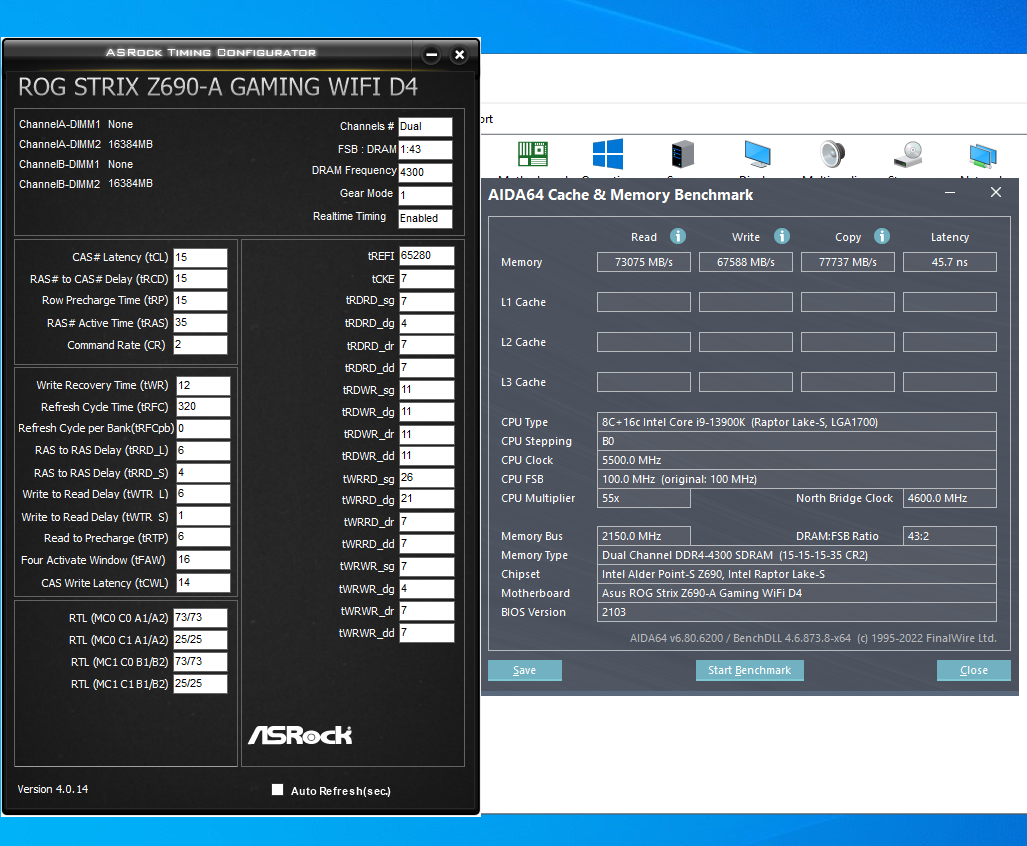
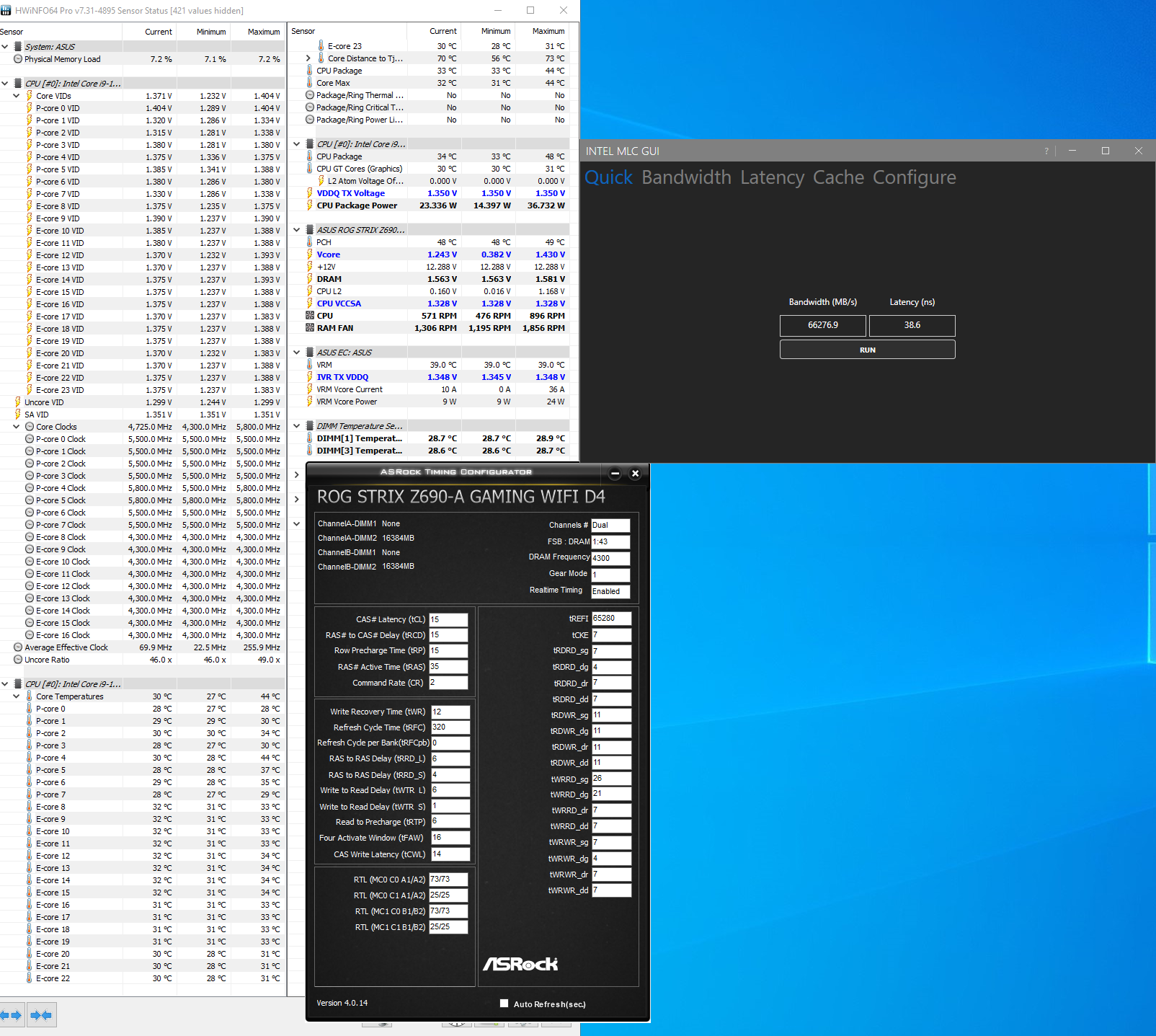
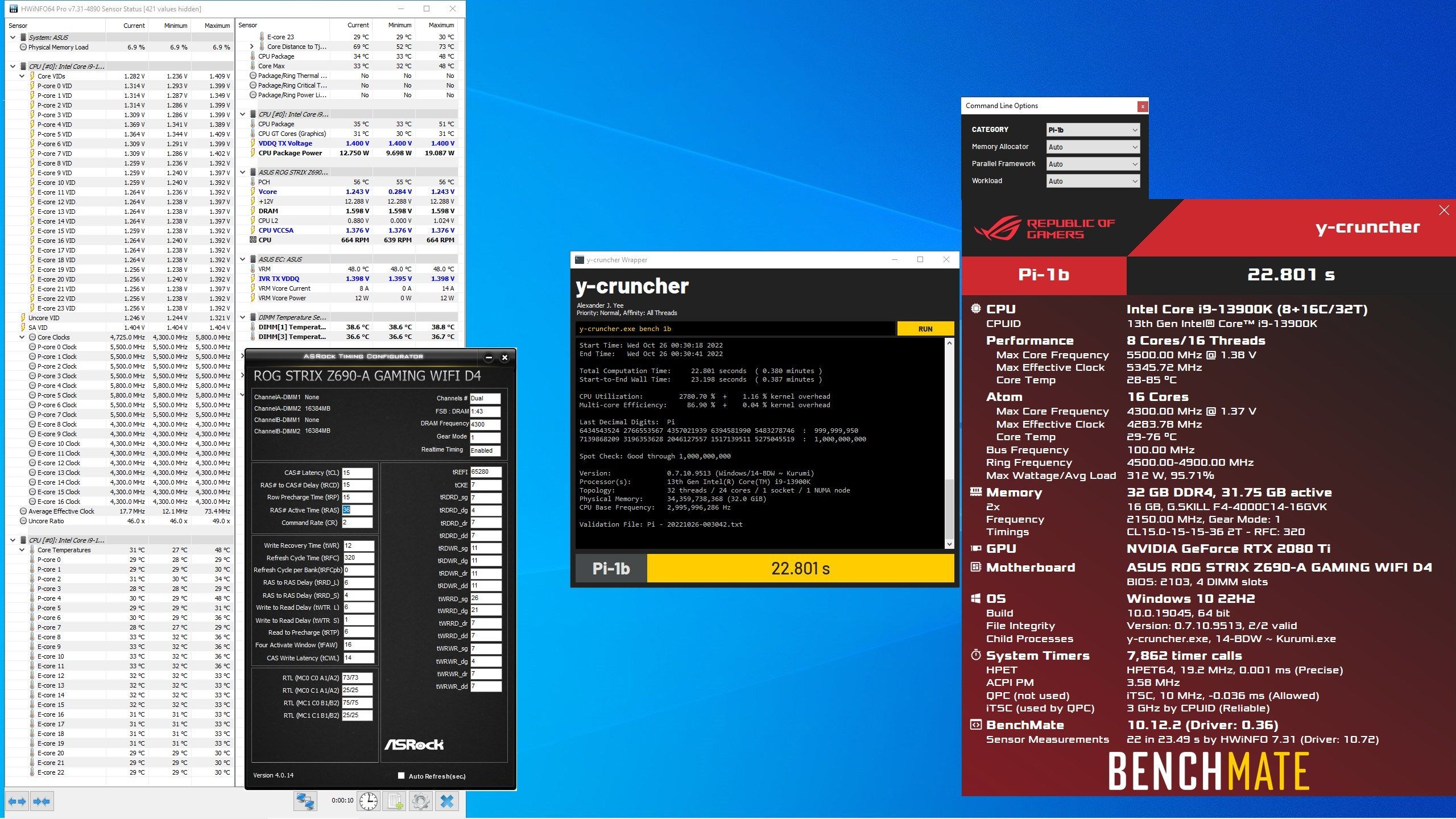
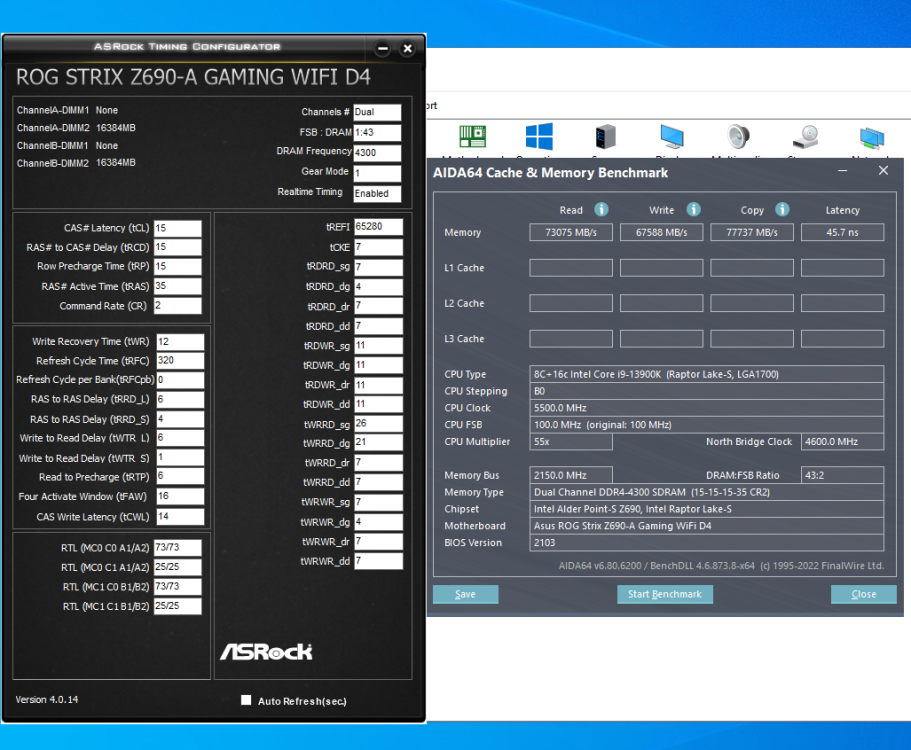
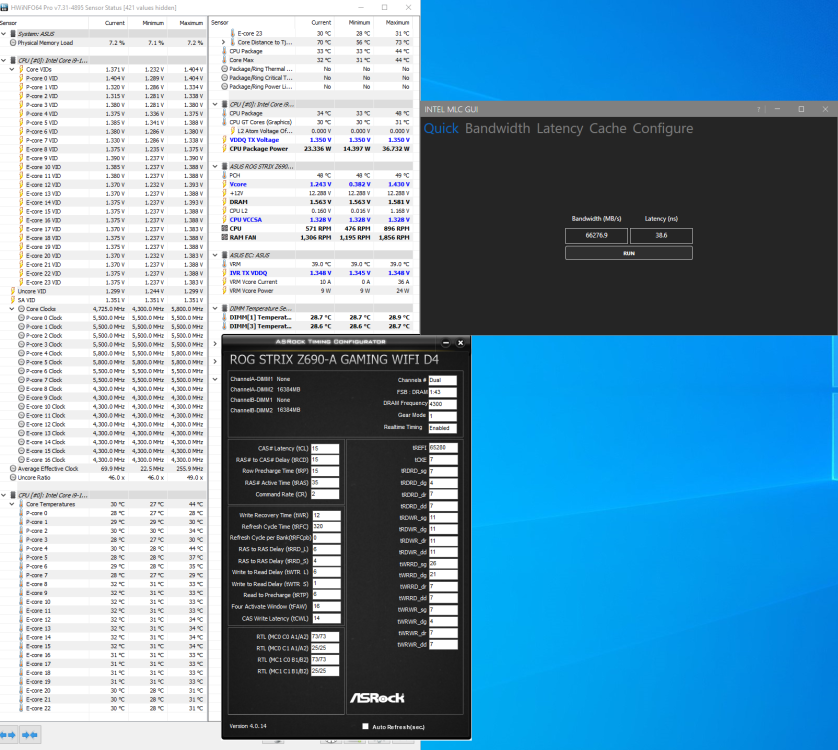
I ended up testing more and what a difference manually setting tCWL(lower than tCL) makes . Still need to test more but went from difficult to excellent memory OC experience with 13th gen. I was use to leaving tCWL on auto when OCing mem on 12th gen. 4300c15-15-15 1.35sa/vddq. CPU at Asus default for voltages and clocks.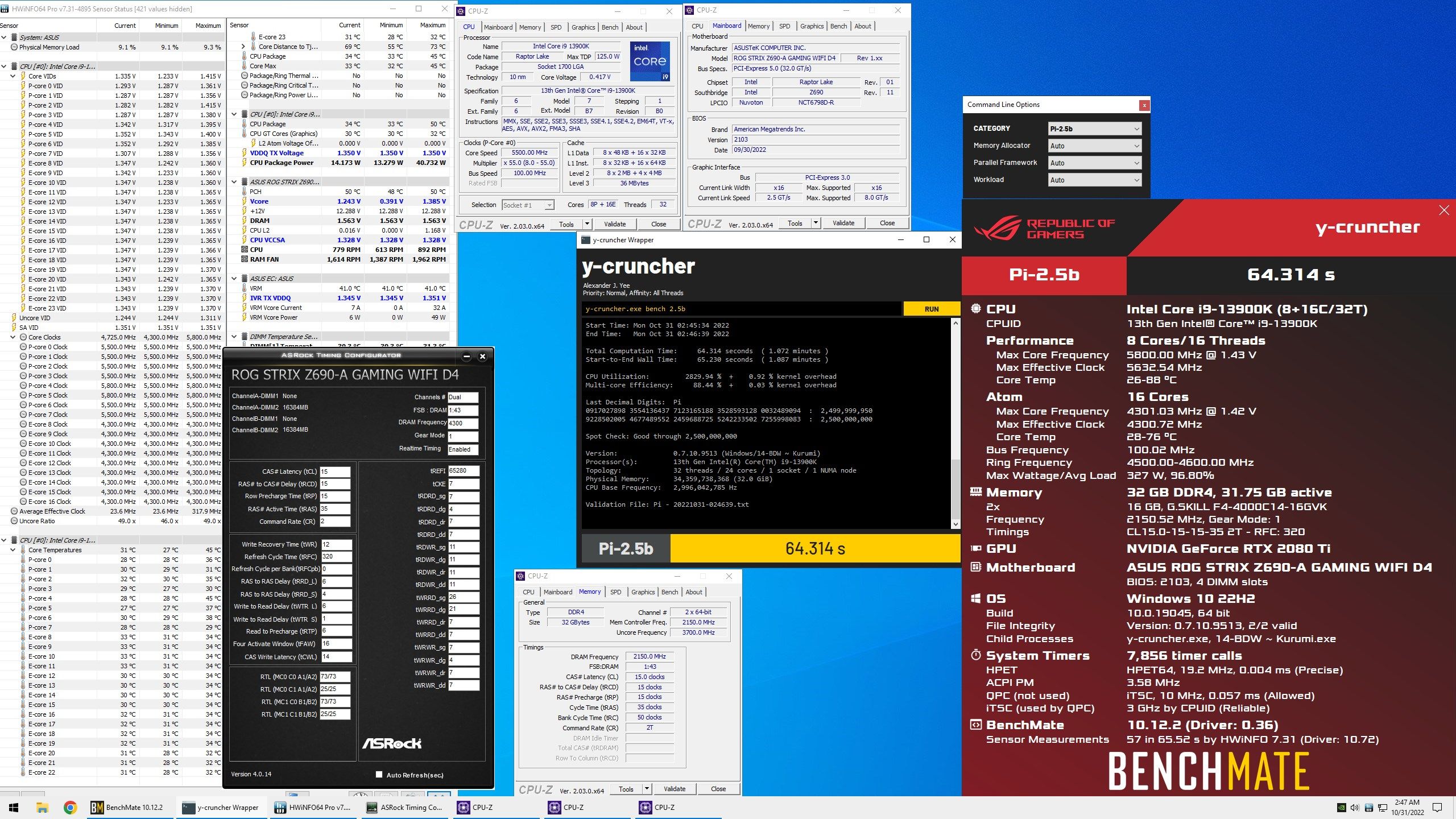
-
ROG STRIX Z690-A GAMING WIFI D4
bscool replied to noizemaker's topic in Alder Lake (Z690) & Raptor Lake (Z790) OC
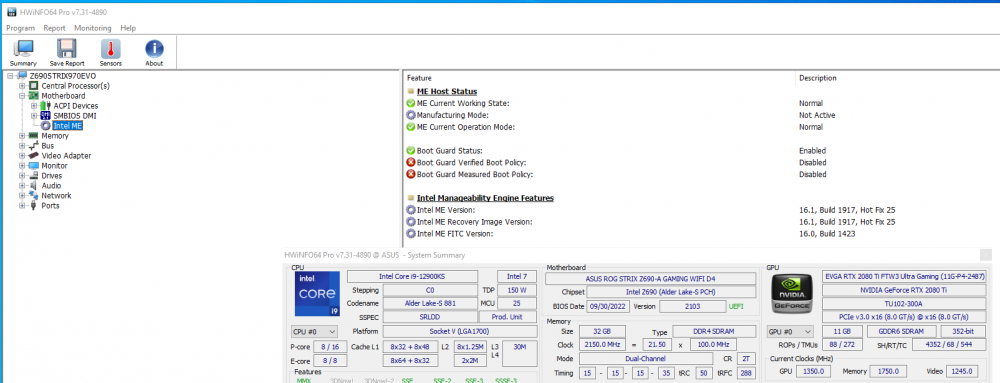
Posting in case anyone else runs into this issue on Strix d4 with 13th gen. I had 12900ks installed flashed from 1601 to 2103 and it was like I had a really bad IMC gear 1 after installing 13900k, it would not be stable for memtest or y cruncher. Current ME firmware(1917) was installed before installing 13900k So I flashed back to bios 2004 and then to 2103 and now it is stable in gear 1 4300 with DR b die. Just wanted to let anyone know if having issues on Strix d4 try that. Edit used Ezflash for flashing for info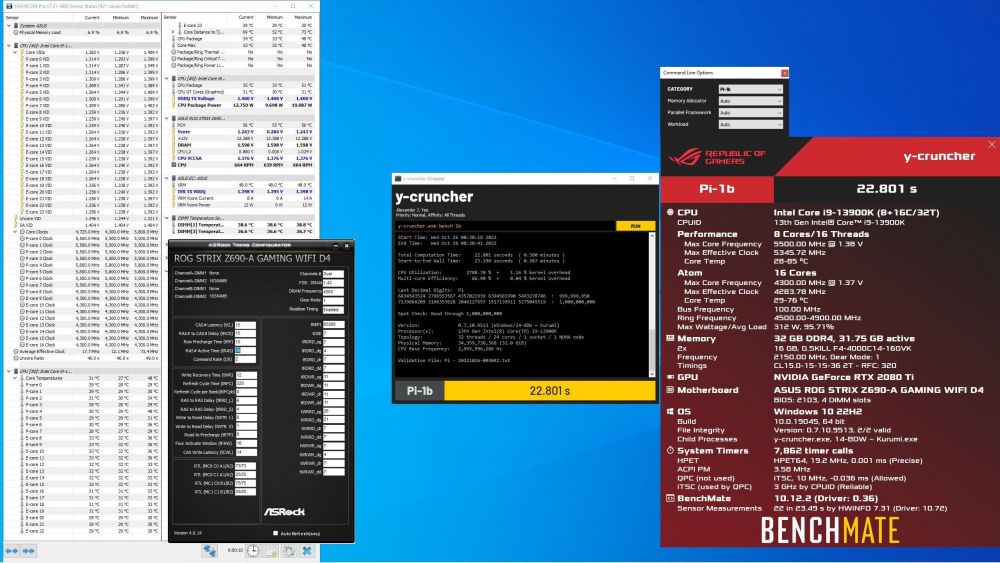
-
ROG STRIX Z690-A GAMING WIFI D4
bscool replied to noizemaker's topic in Alder Lake (Z690) & Raptor Lake (Z790) OC
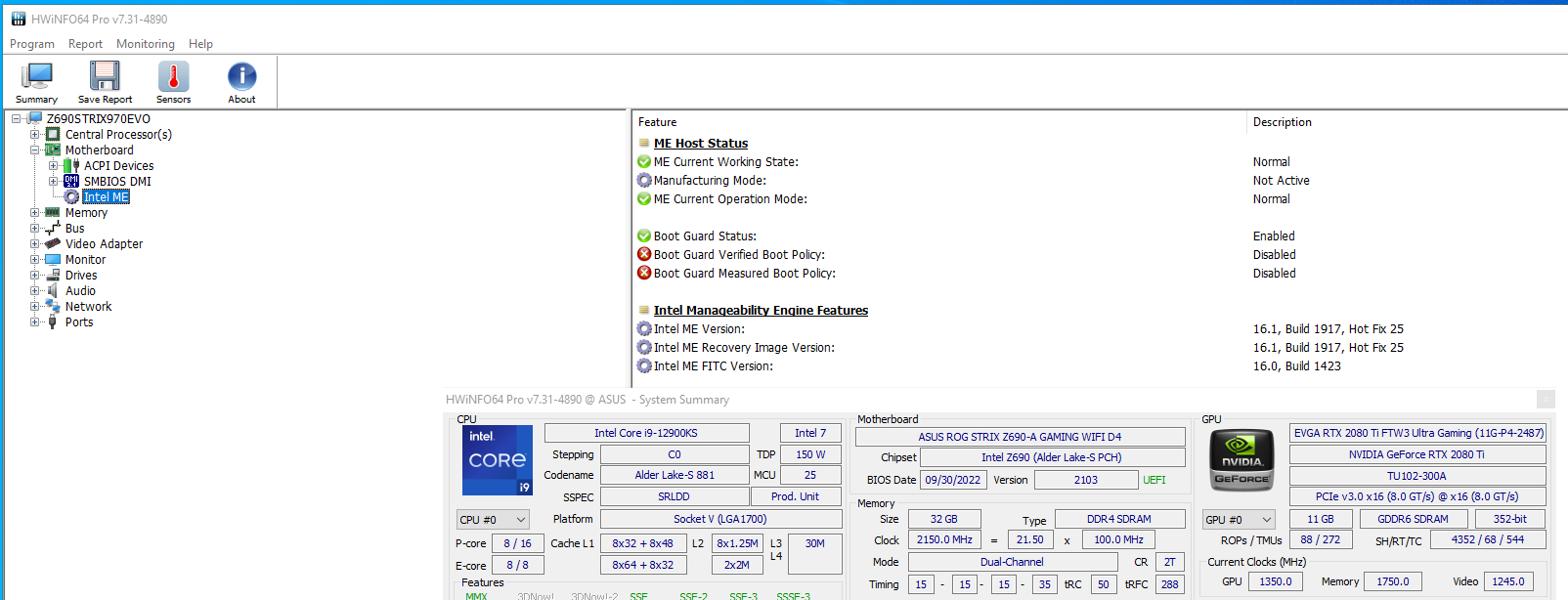
ME firmware 16.1.25.1917 https://rog.asus.com/forum/showthread.php?126385-FIRMWARE-Intel-ME-(H610-B660-H670-Z690-B760-H770-Z790) 2103 is best bios so far for me with DR b die and 12900ks. 43000c15 ran 2.5b y cruncher.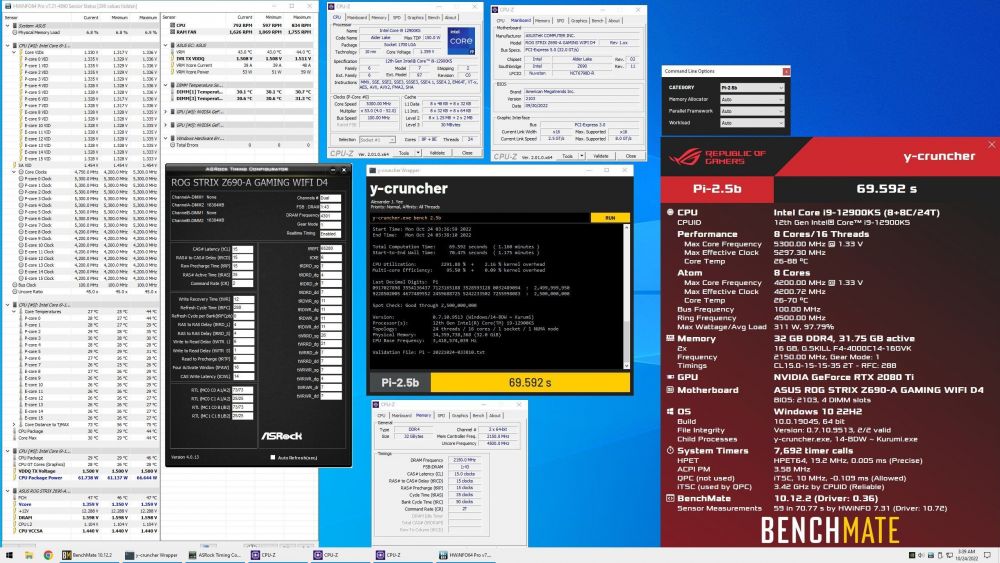
-
ROG STRIX Z690-A GAMING WIFI D4
bscool replied to noizemaker's topic in Alder Lake (Z690) & Raptor Lake (Z790) OC
No I have both 2 Apex(2021 and 2022) and Strix d4. I have 3 cpus I switch out to compared IMCs. Strix d4 currently has 12900kf in it. -
ROG STRIX Z690-A GAMING WIFI D4
bscool replied to noizemaker's topic in Alder Lake (Z690) & Raptor Lake (Z790) OC
No I havent. Need to put it back in and try it had it in Apex. -
ASUS ROG MAXIMUS Z690 APEX | APEX 14
bscool replied to noizemaker's topic in Alder Lake (Z690) & Raptor Lake (Z790) OC
Yeah I patched using info from thread @noizemaker linked Here is 1505 u code 15. https://1drv.ms/u/s!Alekwwtstb8wlOJcNXCbwje0SIY8oQ?e=bGHx0e -
ASUS ROG MAXIMUS Z690 APEX | APEX 14
bscool replied to noizemaker's topic in Alder Lake (Z690) & Raptor Lake (Z790) OC
Here are a couple more with u code 15. Might have already been posted. 1403 https://1drv.ms/u/s!Alekwwtstb8wlOJY19h4e6gSIWMp0Q?e=EaZu5S 1503 https://1drv.ms/u/s!Alekwwtstb8wlOJVzaVP4Knf2igMAw?e=kUwSO6 -
ASUS ROG MAXIMUS Z690 APEX | APEX 14
bscool replied to noizemaker's topic in Alder Lake (Z690) & Raptor Lake (Z790) OC
Not that I know of, to find out disable ecores and see if avx512 shows up in CPUZ/hwinfo, The cpu also has to have avx512 support. So it takes the right u code(15 or older) plus a cpu that has avx512. -
ASUS ROG MAXIMUS Z690 APEX | APEX 14
bscool replied to noizemaker's topic in Alder Lake (Z690) & Raptor Lake (Z790) OC
Yours shows 1F which doesnt support avx512, It is the microcode on cpuz page or MCU in HWinfo. Also can be seen in bios under Advanced/CPU microcode.BMP -
ASUS ROG MAXIMUS Z690 APEX | APEX 14
bscool replied to noizemaker's topic in Alder Lake (Z690) & Raptor Lake (Z790) OC
The first has u code 15 so you can enable avx512 if you disable e cores and your cpu supports it.