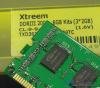
lanpartyut Posted February 28, 2019 Share Posted February 28, 2019 I have some question about binned hawswell imc over 3000+mhz memory clock. CPU: g3258 、 4790k MB:Z87M-OCF memory stick:team xtreem 2666C11 4Gx2 and Acaper ares 3000C12 4Gx2 all base on hynix MFR They did 3250Mhz CL12 as well(vccsa+0.2 vccioa+0.1 vcciod+0.15) and what is the default voltage about these, vccsa :0.9V vccioa and vcciod 1.05V? but if i want push high clock need to add some sa ioa iod voltage I donnot sure how much to add, anybody give me some suggestion? thanks ps:just binned them on air Quote Link to comment Share on other sites More sharing options...
lanpartyut Posted February 28, 2019 Author Share Posted February 28, 2019 (edited) i know System Agent (VCCSA) voltage: 1.15 V to 1.25 V is good ,and what is the safe voltage of them when overcolck on alr Edited February 28, 2019 by lanpartyut Quote Link to comment Share on other sites More sharing options...
lanpartyut Posted March 8, 2019 Author Share Posted March 8, 2019 (edited) just run 3419 14-15-15 yesterday ,sa+0.3 ioa+0.25 iod+0.3 when I add some bclk then want to go 3500mhz ,cannot boot, even sa+0.35V,maybe my cpu imc limited that will test on another MB to Confirm if imc is restricted this weekend Edited March 8, 2019 by lanpartyut 2 Quote Link to comment Share on other sites More sharing options...
Recommended Posts
Join the conversation
You can post now and register later. If you have an account, sign in now to post with your account.