Skip to content
View in the app

A better way to browse. Learn more.

HWBOT Community Forums

A full-screen app on your home screen with push notifications, badges and more.

To install this app on iOS and iPadOS
  1. Tap the Share icon in Safari
  2. Scroll the menu and tap Add to Home Screen.
  3. Tap Add in the top-right corner.
To install this app on Android
  1. Tap the 3-dot menu (⋮) in the top-right corner of the browser.
  2. Tap Add to Home screen or Install app.
  3. Confirm by tapping Install.

EVGA GTX 560ti FPB powercard

Featured Replies

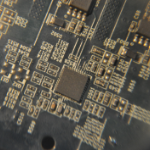
finally got my first powercard working, cut from a 560 ti with a dead core/memory

memory vrm is still shorted to ground but the controller is reciving power so there might not be any more work to get it working if the short didn't exist

the vrm doesn't require 3.3v and runs off of 12v for power 

+12v for controller is from pcie so you have to connect one of the 6 pins to the power plane on the front (all the way at the bottom)

+5v is needed to enable the controller

simple feeback mod for voltage control and an led for +12v power indication

unfortunately there is little ground but since vmem is shorted to ground all of vmem works as a ground plane

IMG_0806.thumb.png.ed854bce9cf1412425843be17f961eb5.pngIMG_0808.thumb.png.2491cbbeb6d7294a0e514425ed91db6a.png560ti-fpb-ncp5388-annotated.thumb.png.f2e3769f9cb3388547aedd1da5d2f032.pngIMG_0807.thumb.png.d3af3201df1d0ce86e8e98a71d6e1efa.png

Join the conversation

You can post now and register later. If you have an account, sign in now to post with your account.

Guest
Reply to this topic...

Account

Navigation

Search

Search

Configure browser push notifications

Chrome (Android)
  1. Tap the lock icon next to the address bar.
  2. Tap Permissions → Notifications.
  3. Adjust your preference.
Chrome (Desktop)
  1. Click the padlock icon in the address bar.
  2. Select Site settings.
  3. Find Notifications and adjust your preference.