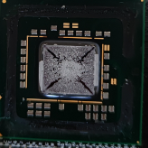
TAXN Posted April 22, 2023 Share Posted April 22, 2023 (edited) Selling my old rampage 3 extreme 90€ or best offer + shipping It has a broken gpu clip and a missing screw on the back(southbridge); the temps are good even without that screw It has been re-pasted with arctic mx-4 today and the vrm thermal pad was also changed I accept bank transfer only! I am from Romania, will ship to EU countries Edited October 23, 2023 by TAXN Quote Link to comment Share on other sites More sharing options...
TAXN Posted May 20, 2023 Author Share Posted May 20, 2023 f5 Quote Link to comment Share on other sites More sharing options...
TAXN Posted June 11, 2023 Author Share Posted June 11, 2023 up Quote Link to comment Share on other sites More sharing options...
TAXN Posted August 19, 2023 Author Share Posted August 19, 2023 sold, please close Quote Link to comment Share on other sites More sharing options...
Recommended Posts
Join the conversation
You can post now and register later. If you have an account, sign in now to post with your account.