Skip to content
View in the app

A better way to browse. Learn more.

HWBOT Community Forums

A full-screen app on your home screen with push notifications, badges and more.

To install this app on iOS and iPadOS
  1. Tap the Share icon in Safari
  2. Scroll the menu and tap Add to Home Screen.
  3. Tap Add in the top-right corner.
To install this app on Android
  1. Tap the 3-dot menu (⋮) in the top-right corner of the browser.
  2. Tap Add to Home screen or Install app.
  3. Confirm by tapping Install.

Asus X299 Rog Strix E II, 7800X, Fuma 2 cooler and Z170 sabertooth S

Featured Replies

Hi,

I am selling all items listed in title. Please keep in mind I am from EU. 

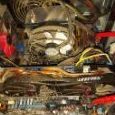
X299 set as whole lightly used. It was my testbench, but still barely used. Fuma 2 is bit damaged since I dropped it when taking it out of the box. 

X299 set - 249€ 

https://ibb.co/znbTsj4


Z170 - is in faulty condition 

Edit - forgot to say, that I have the original cover for IO. Will put it on before sending it.

Price - 35€

https://ibb.co/MhhYhdD

Edited by GreeN971

  • Don_Dan locked this topic
Guest
This topic is now closed to further replies.

Account

Navigation

Search

Search

Configure browser push notifications

Chrome (Android)
  1. Tap the lock icon next to the address bar.
  2. Tap Permissions → Notifications.
  3. Adjust your preference.
Chrome (Desktop)
  1. Click the padlock icon in the address bar.
  2. Select Site settings.
  3. Find Notifications and adjust your preference.