Skip to content
View in the app

A better way to browse. Learn more.

HWBOT Community Forums

A full-screen app on your home screen with push notifications, badges and more.

To install this app on iOS and iPadOS
  1. Tap the Share icon in Safari
  2. Scroll the menu and tap Add to Home Screen.
  3. Tap Add in the top-right corner.
To install this app on Android
  1. Tap the 3-dot menu (⋮) in the top-right corner of the browser.
  2. Tap Add to Home screen or Install app.
  3. Confirm by tapping Install.

chew*

Members
  • Joined

  • Last visited

  1. As someone with experience for top level results I won't say "well played" I'll say nice run.
  2. Peace out overclocking world. Going back to hibernation, Cookie and msimax. Been fun working together.
  3. teamwork makes the dreamwork. That mem tune This is the closest you will get to seeing me post a result on hwbot
  4. Thats how we do it. Efficiency is the only way. And that's one of the slower agesa's
  5. buy a larger bios chip. eeprom flash it solder on board. APU bios ( agesa ) exceeds size of bios chip
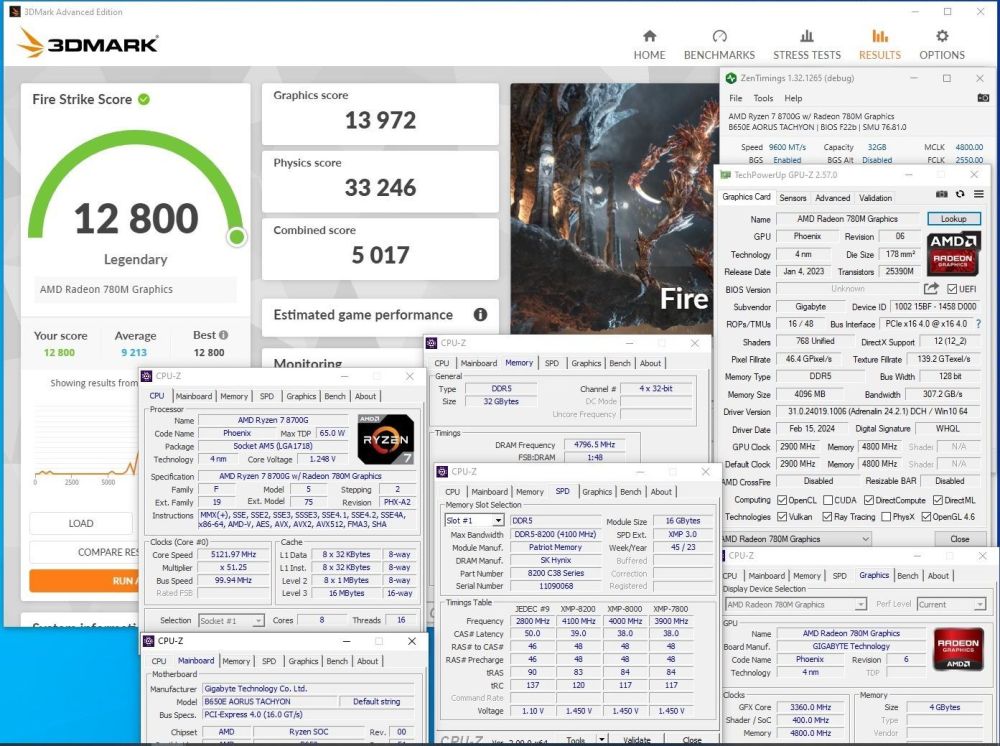
  6. splave on AMD? Want to try my retail splave? It's got chew* secret sauce
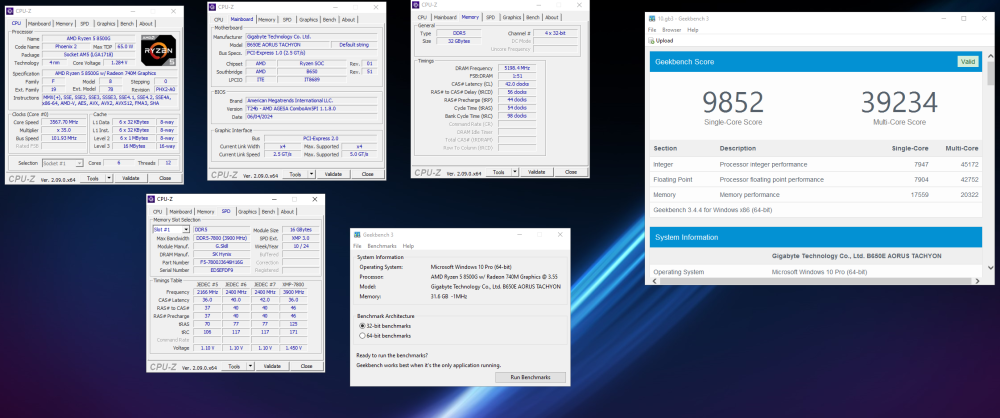
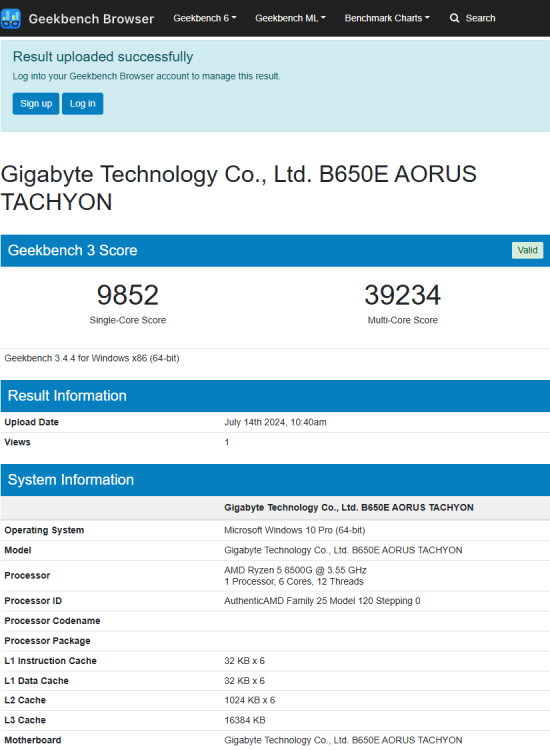
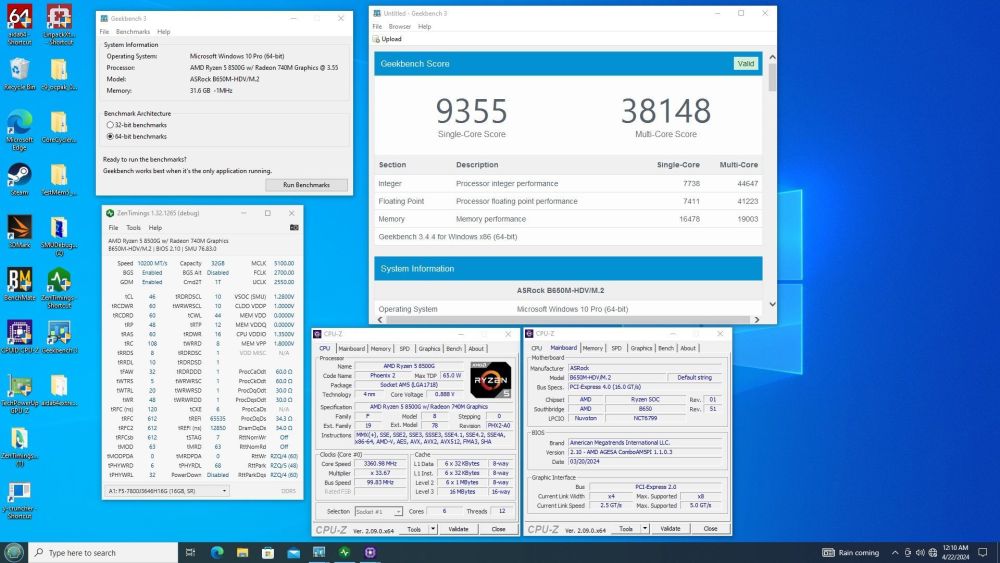
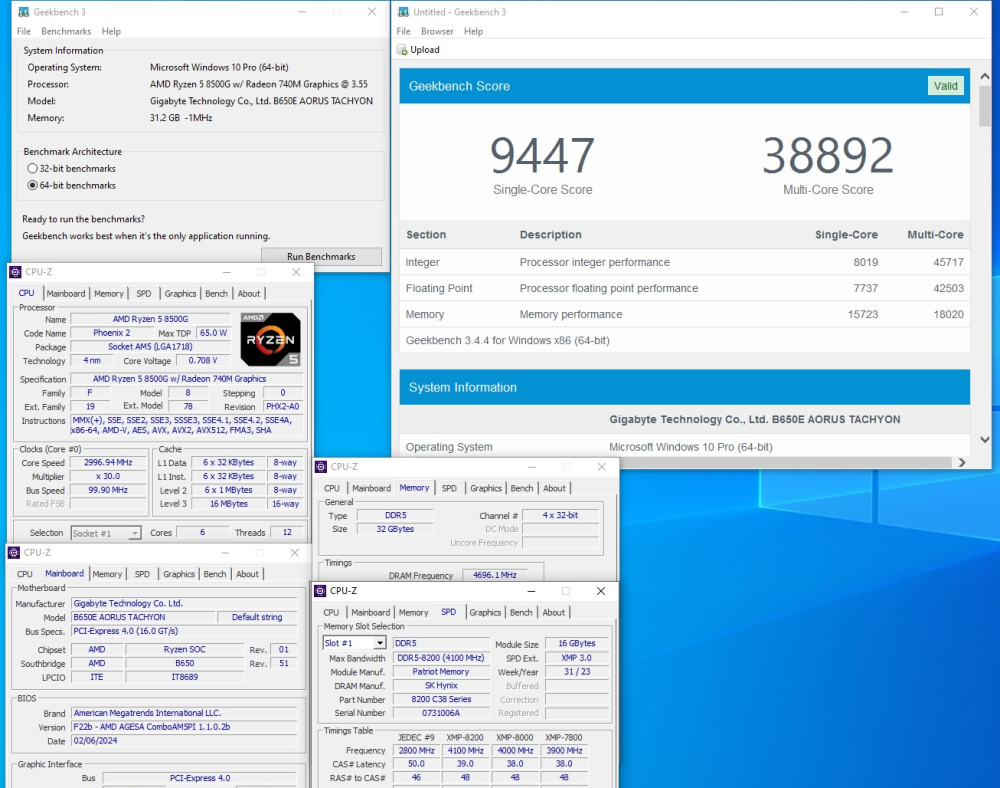
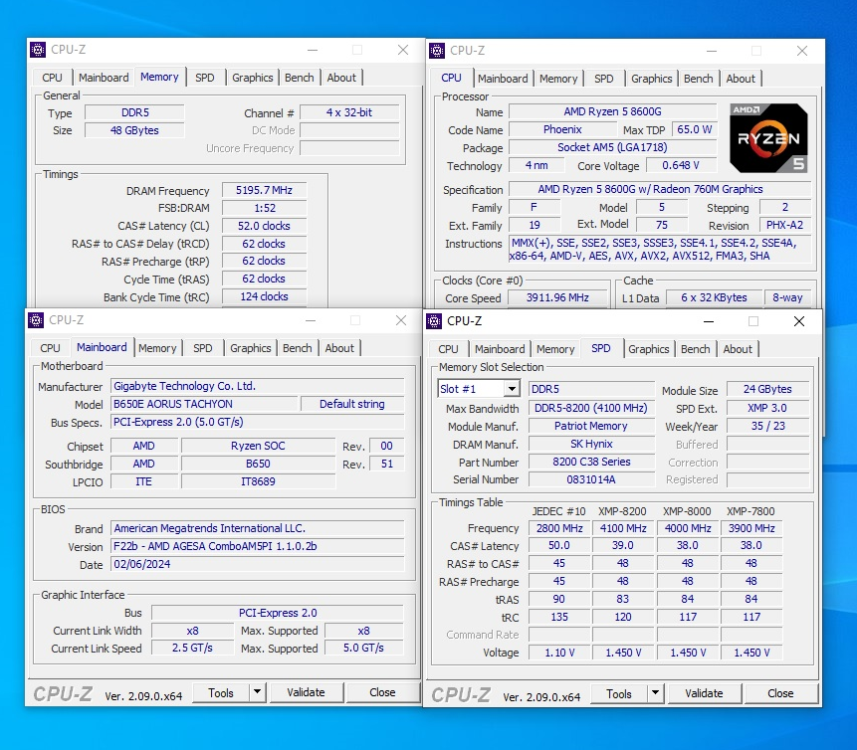
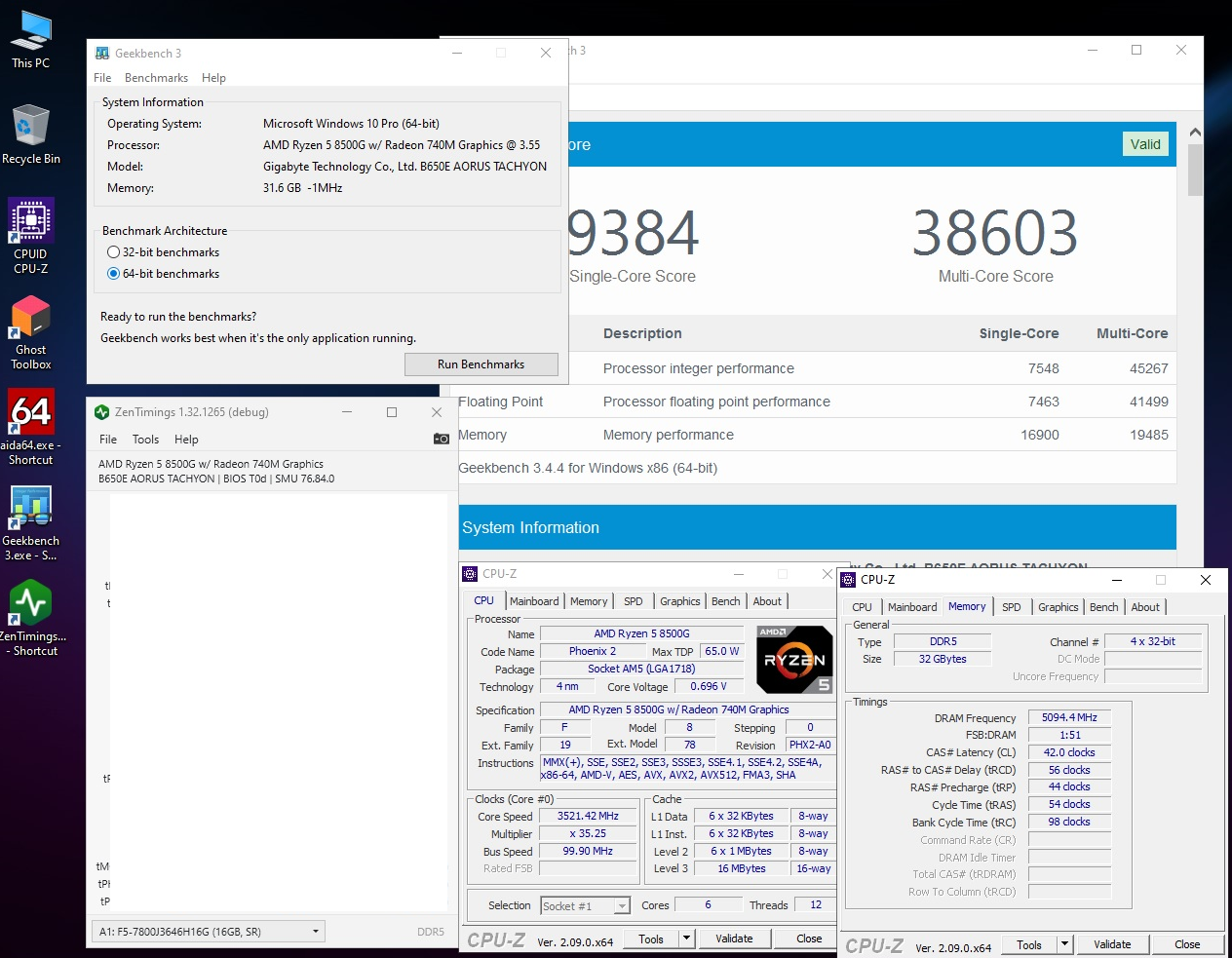
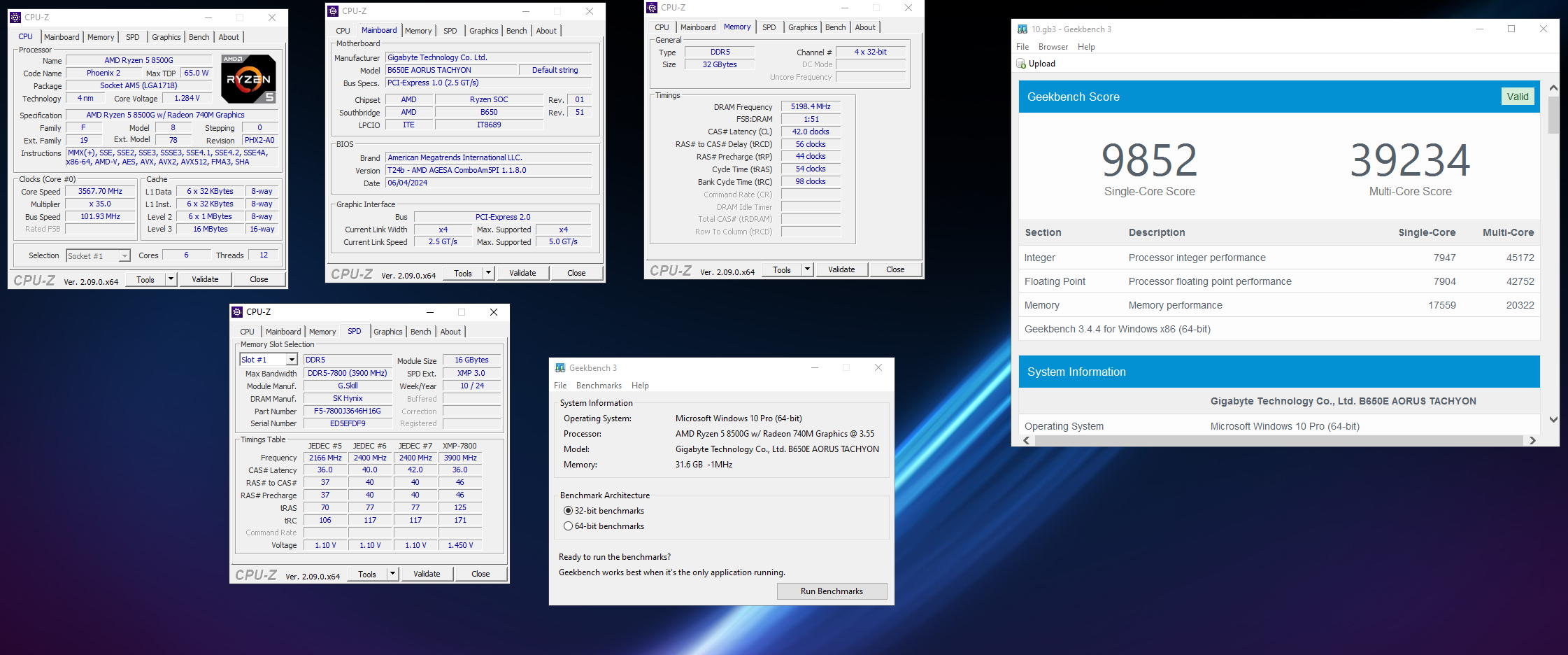
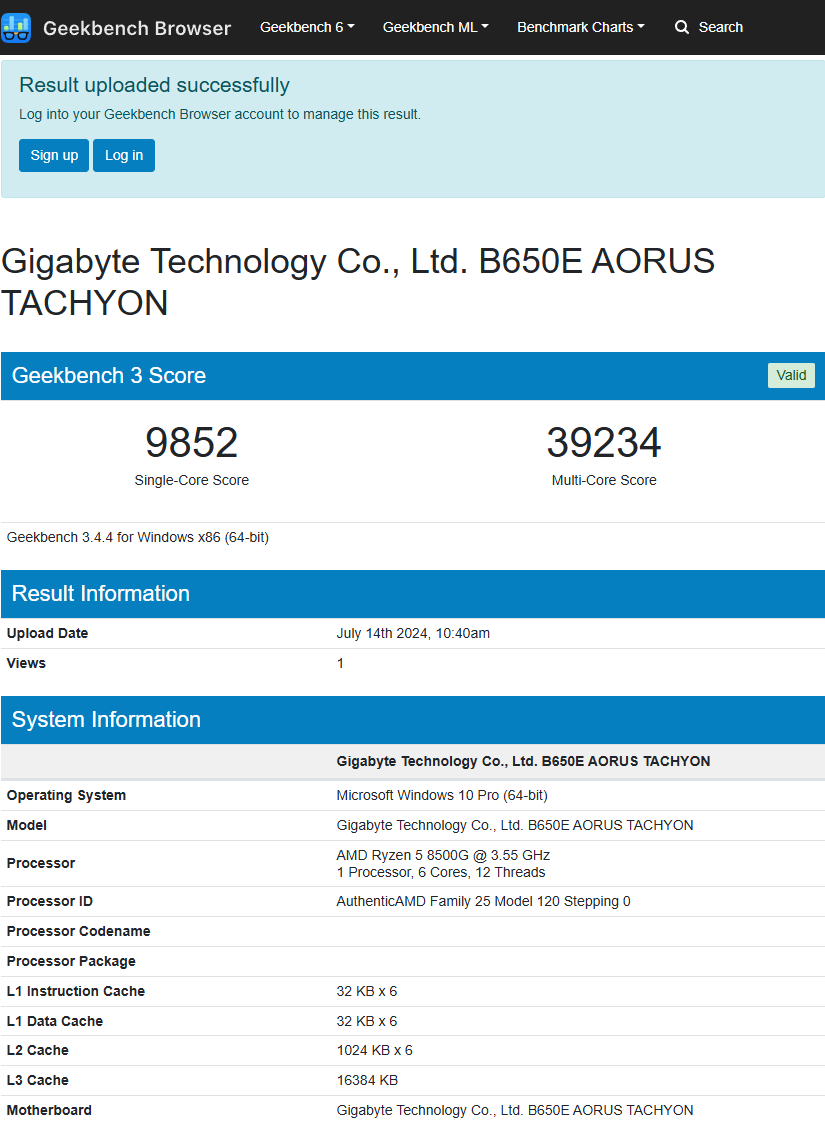
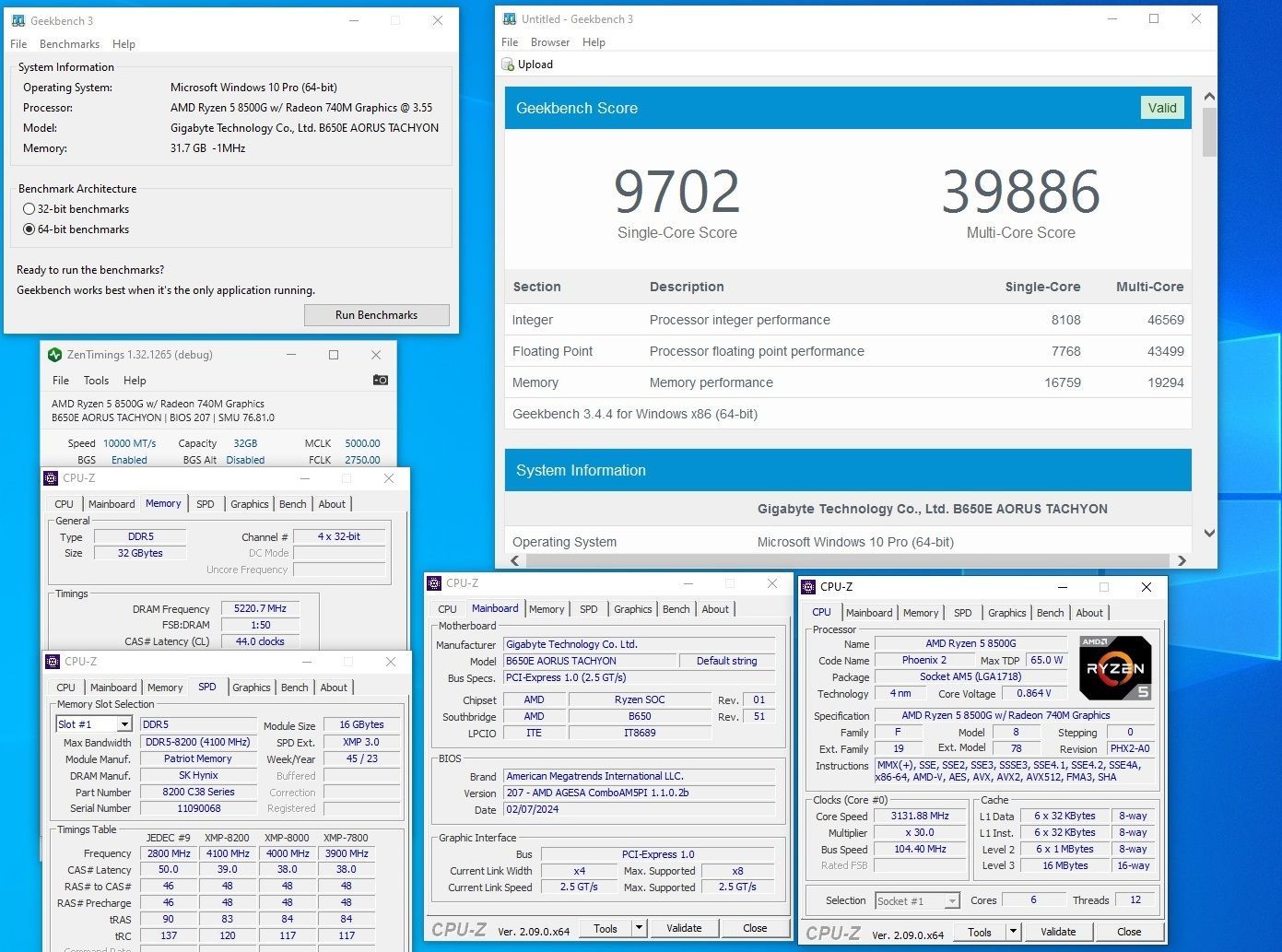
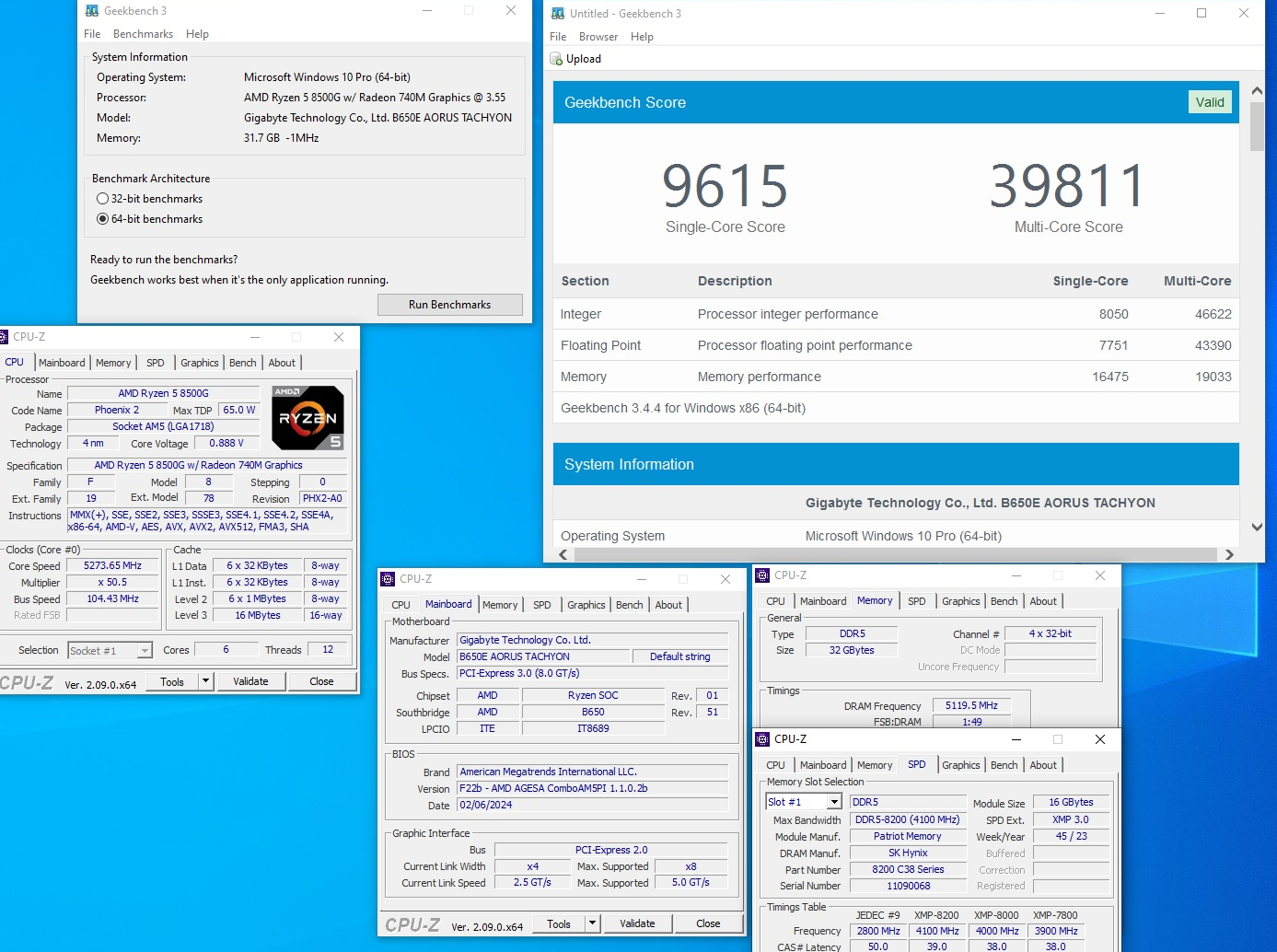
  7. Guess these results belong here. Goal was merely single/multi mem scores aka murder intel. Retail parts so don't give me that samples super binning crap. Ambient 10200/2750 Sub zero 10200/3000 validation file.
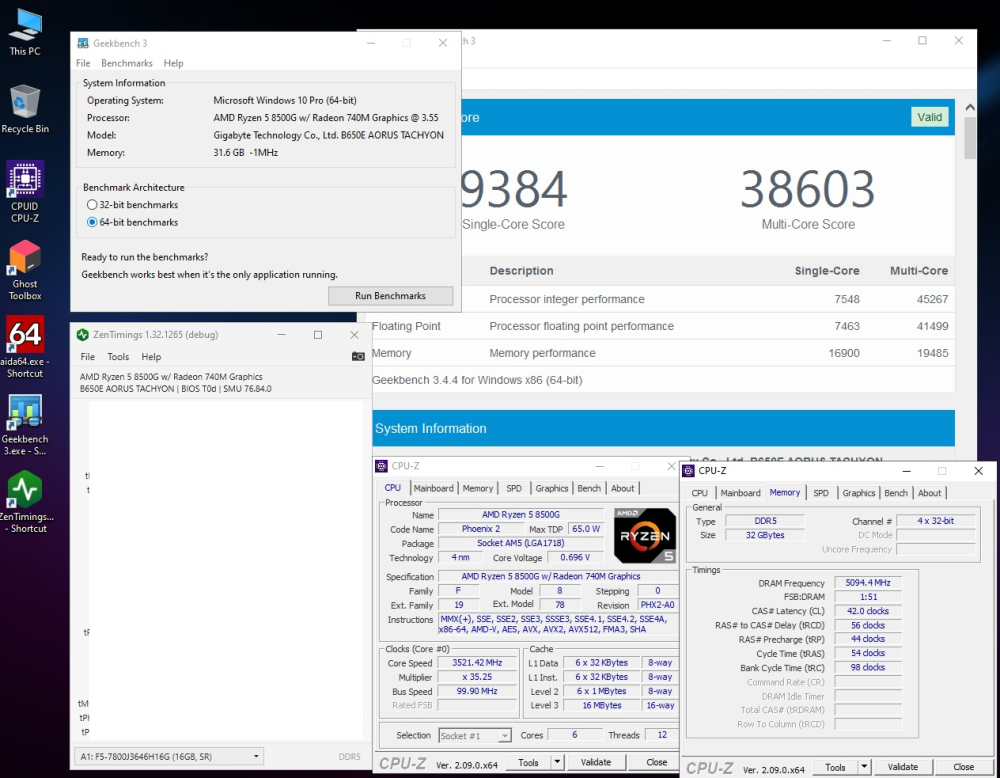
  8. Ok give me my beer back Not bad considering nitro is broken on this bios. Losing some efficiency from that
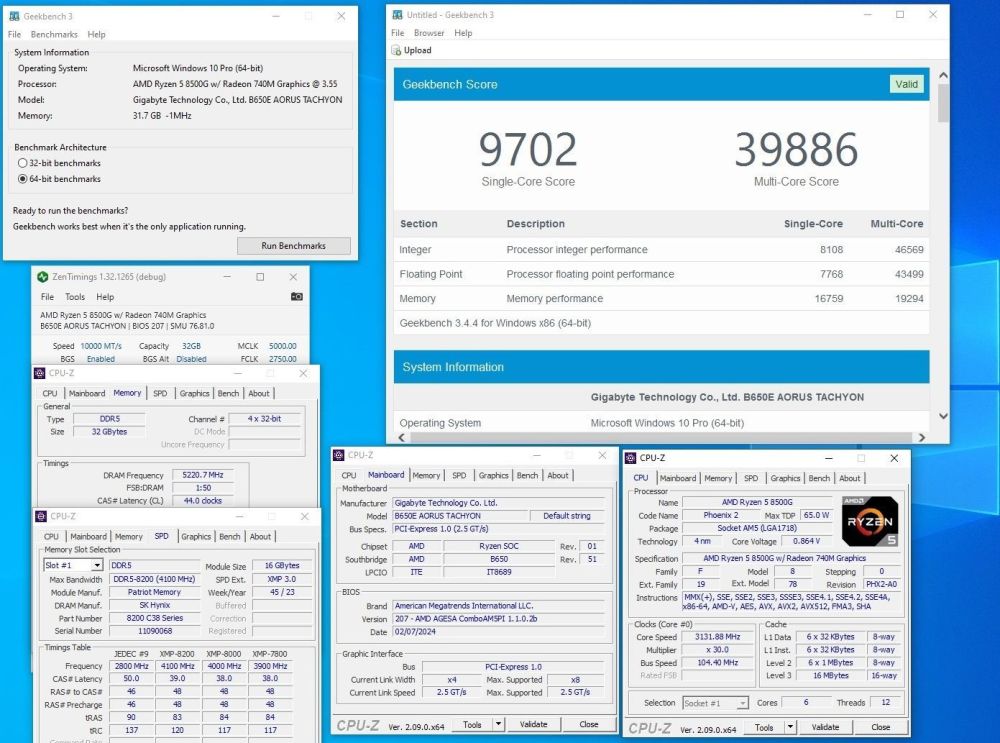
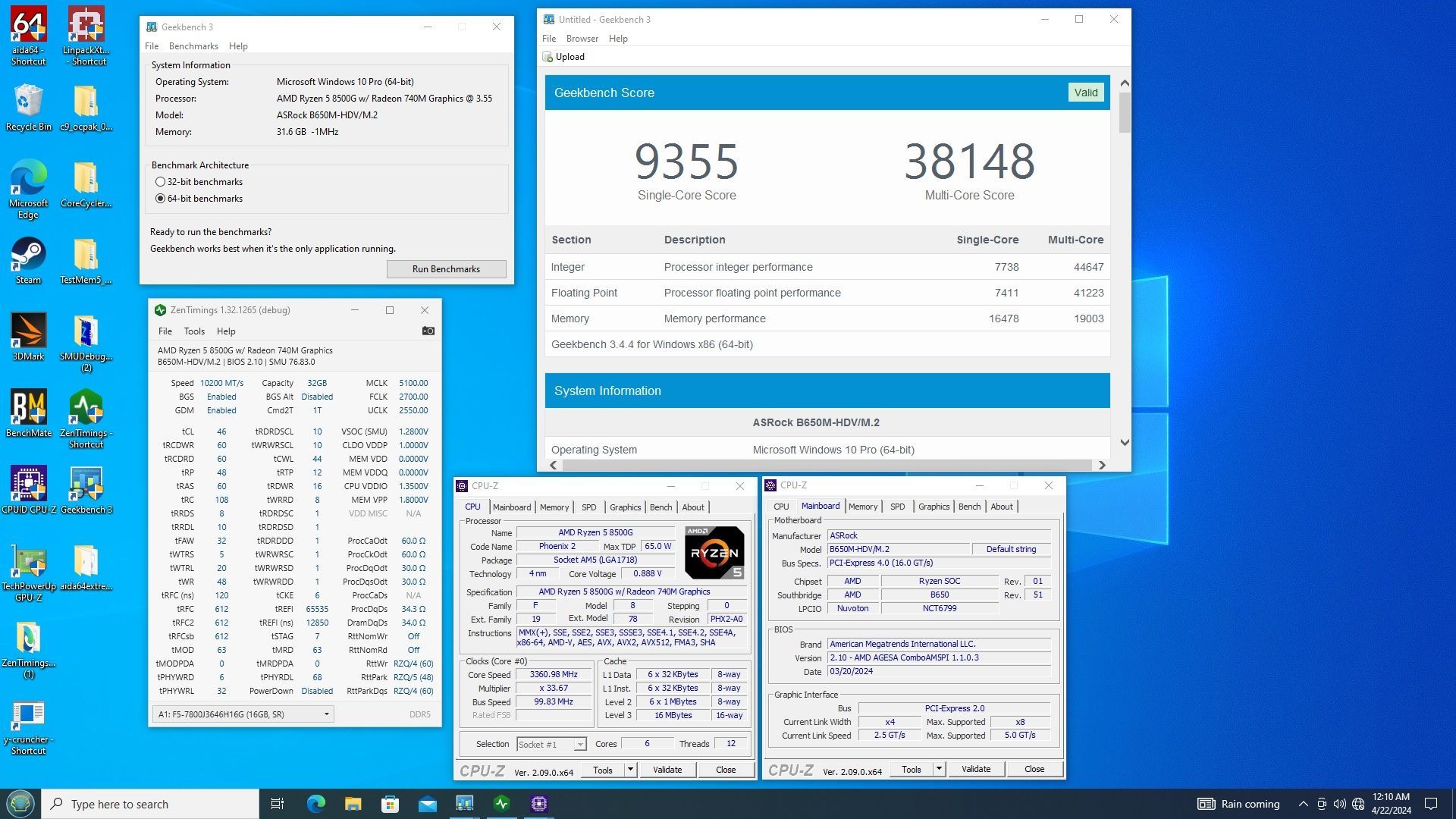
  9. we have a new Asrock contender as well More left to tune on this one
  10. Here this belongs here....
  11. Hold my beer loud, I'll get asrock into the 336 range
  12. Still a few tricks left in this cpu
  13. 19K done without sacrificing overall score and print screen and paint still work 😏
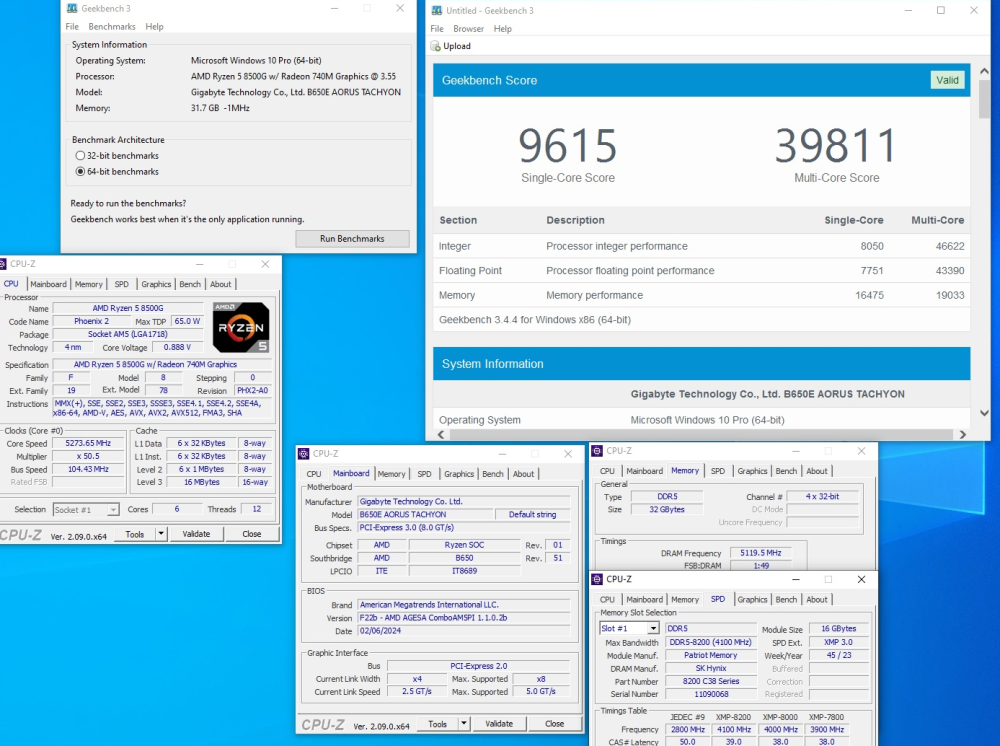
  14. chasing 19K multi mem score........

Account

Navigation

Search

Search

Configure browser push notifications

Chrome (Android)
  1. Tap the lock icon next to the address bar.
  2. Tap Permissions → Notifications.
  3. Adjust your preference.
Chrome (Desktop)
  1. Click the padlock icon in the address bar.
  2. Select Site settings.
  3. Find Notifications and adjust your preference.