

NeilB
-
Posts
6 -
Joined
-
Last visited
NeilB's Achievements




-
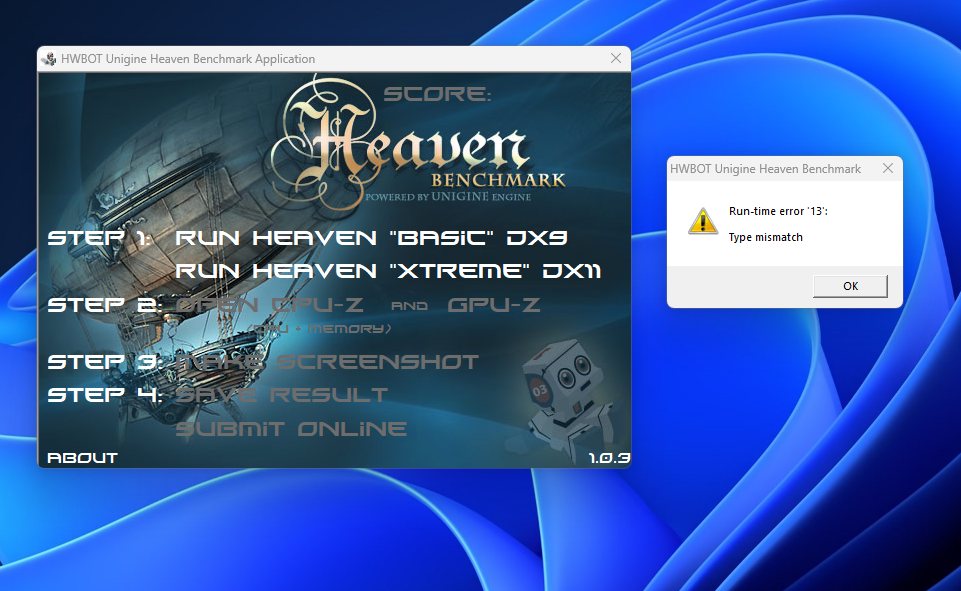
Hi, I'm getting this error after a run for both Basic and extreme. What do I need to resolve this?
-
NeilB - Ryzen 9 7950X @ 5818.8MHz - 0sec 240ms y-cruncher - Pi-25m
NeilB replied to Gigaherz's topic in Result Discussions
Sorry dude :) -
NeilB - Ryzen 9 7950X @ 5850MHz - 12sec 771ms y-cruncher - Pi-1b
NeilB replied to kaliz's topic in Result Discussions
Thanks.... Ways to go and more to come -
Thanks, still learning as I go.
-
NeilB - Ryzen 9 7950X @ 5766MHz - 14sec 847ms y-cruncher - Pi-1b
NeilB replied to Domdtxdissar's topic in Result Discussions
? ? Dude imagine if you had your 7950x. You set a very high standard bud. -
This was all new to me was literally doing screenshot as I didn't know the program does it automatically, sorry bud. Been getting better at it, won't happen again. Won't catch you up, as always you're in another league. Can only imagine if you still had a non 3d cpu.