K404
-
Posts
3508 -
Joined
-
Last visited
-
Days Won
5
K404's Achievements






-

"Please power down and connect the PCI-E power cables"
K404 replied to K404's topic in GPU Overclocking and Tweaking
I desoldered the chip beside the PCI-E: it POSTed and booted into Windows on the first attempt!....although I get the same message if I do a warm restart. Meh. it's a bit of progress! -
"Please power down and connect the PCI-E power cables"
K404 replied to K404's topic in GPU Overclocking and Tweaking
Didn't work There's a chip beside the power plug. I'm beginning to wonder if its damaged and putting out a false warning. -
"Please power down and connect the PCI-E power cables"
K404 replied to K404's topic in GPU Overclocking and Tweaking
Already tried :(... unless you mean all 5 of them? -
Hi all! I have a strange problem with a card, i'm hoping to get some info or ideas. It has the solder holes for an 8-pin power plug, but only a 6-pin plug was installed at the factory. I get the above error message before proper POST. vCore is present. I have tried shorting the other 2 pins and I have tried wiring them to the appropriate 2 pins of an 8-pin power plug. Same error message. The PC has booted to Windows literally twice with this card installed, which makes me wonder if there's a bad connection somewhere but i've not been able to find it. How does the card/BIOS decide that the power cable is unplugged? Do false positives exist? Can this check be pypassed? Thanks!
-
What Mobo chipset will you be using? Some need extra drivers etc slipstreamed into the Windows installation iso- ideally BEFORE installing Windows. There are guides on here that really help Disks can be used- USB-connected optical drives can still be very useful, but using Rufus or YUMI as Paradox says are very popular bootable USB wizards Most of it is personal preference
-
Sourced! (sorry dude, retail doesn't win this time!) Mods can close. Thanks!
-
Hey! I need something for testing some mobo repairs, so tragic potatoes and horrific binning failures are welcome. Impossible to be too cheap, all it needs to do is work Based in the UK Thanks!
-
Hi! Can we use CPU-Z versions newer than 2.03 as well?
-
This is for the PCB version that has the 6+2 together beside the power plugs. I've not seen any details for this mod before, hopefully its not a repost/old info. Tested and confirmed working by me....BUT.... consider replacing the chokes. They are a bit puny and run hot. As always, you perform this mod at your own risk. No-one is forcing you to try this.

-
Hey bro! Didn't happen to me....but i've not pushed it under LN2
-
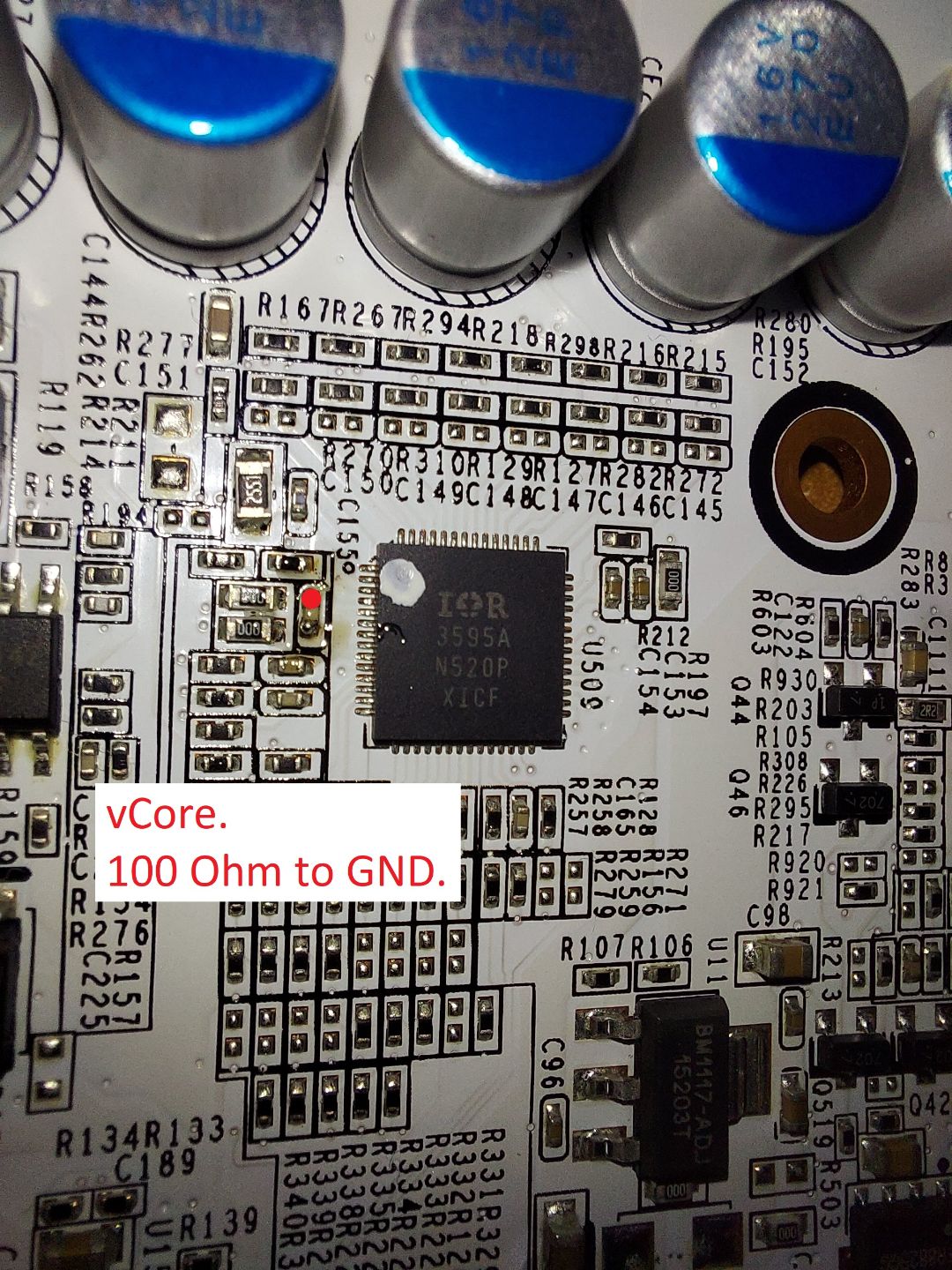
The voltmod point reads as short to pins 4 *and* 5, so I need to do a bit more work there. 100 Ohms to ground. ...but it's working. As always.... you add this mod at your own risk. I take no responsibility for any mistakes or damage caused before, during or after.
-
Probed, tested and confirmed working by me. I take no responsibility for damage caused to hardware by external mods. This is for guidance only. No-one is forcing you to try this. Analysis should be done by a user pre, during and post modding
-
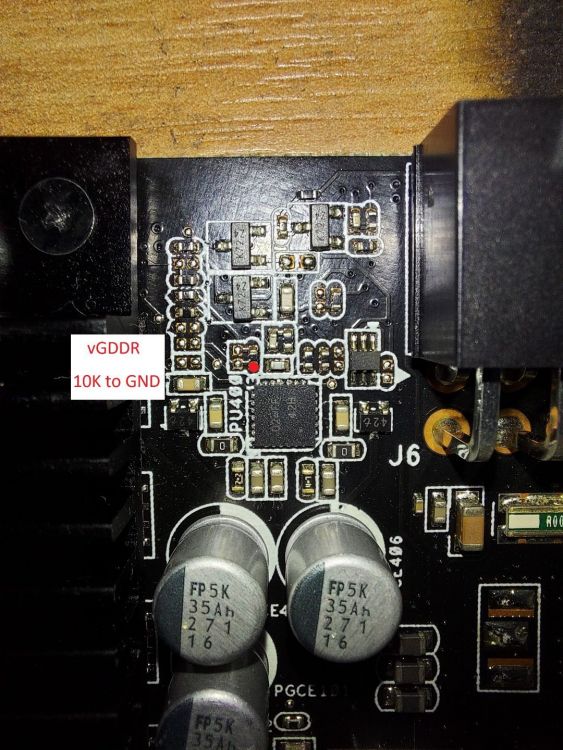
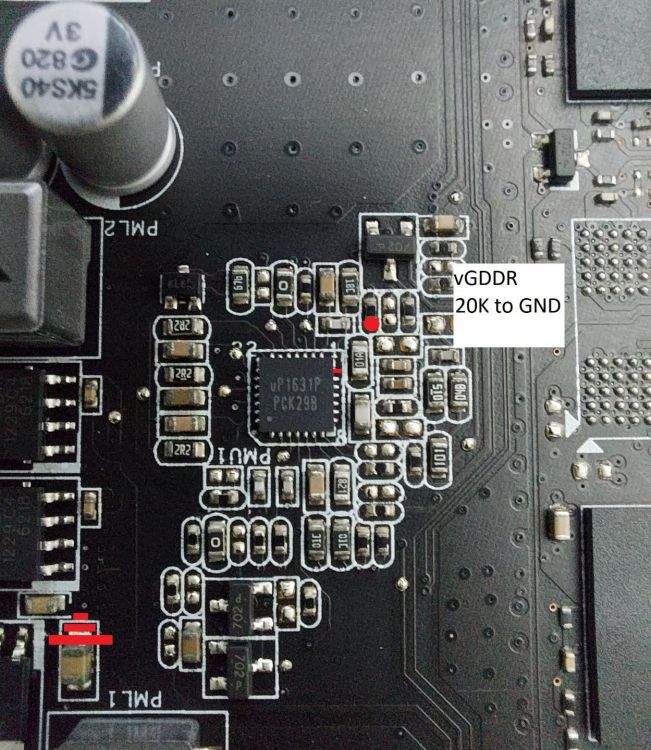
As shown. (PCB layouts may vary) Tested and confirmed working by me I take no responsibility for damage caused to hardware by external mods. This is for guidance only. No-one is forcing you to try this. Analysis should be done by a user pre, during and post modding
-
Prepopulate option- adjust RAM MHz
K404 replied to K404's topic in HWBOT Development: bugs, features and suggestions
...but I said please! -
Hiiiiii The "prepopulate fields by previous submission" button is excellent.... but the options to edit Reference/IMC/QPI clocks or RAM MHz are absent. Please can they be added? Also......any chance of Unigine Heaven having a prepopulate option? Thanks :D