Skip to content
View in the app

A better way to browse. Learn more.

HWBOT Community Forums

A full-screen app on your home screen with push notifications, badges and more.

To install this app on iOS and iPadOS
  1. Tap the Share icon in Safari
  2. Scroll the menu and tap Add to Home Screen.
  3. Tap Add in the top-right corner.
To install this app on Android
  1. Tap the 3-dot menu (⋮) in the top-right corner of the browser.
  2. Tap Add to Home screen or Install app.
  3. Confirm by tapping Install.

[FS][US] DDR3 Kits

Featured Replies

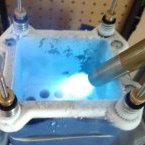
Hey, I have a few kits up for sale today. Please ask questions and buy with confidence as I have over 35 positive reviews at OCN. Prices include shipping to the continental US.


GSkill Trident 2000 CL9 2x2GB (Elphida BABG):: $35 shipped priority US48

Pi32 quick test: 2400 9-11-9 @1.92v (probably lower but never tried)


gskill%20sale.jpg~original

11_1.jpg~original

IMG_20160708_162220.jpg~original

IMG_20160708_162301.jpg~original


Geil Evo Potenza 2666 CL11 2x4GB (Hynix MFR I think):: $50 shipped priority US48SOLD!

IMG_20160708_162232.jpg~original

Edited by mllrkllr88

Guest
This topic is now closed to further replies.

Account

Navigation

Search

Search

Configure browser push notifications

Chrome (Android)
  1. Tap the lock icon next to the address bar.
  2. Tap Permissions → Notifications.
  3. Adjust your preference.
Chrome (Desktop)
  1. Click the padlock icon in the address bar.
  2. Select Site settings.
  3. Find Notifications and adjust your preference.