Skip to content
View in the app

A better way to browse. Learn more.

HWBOT Community Forums

A full-screen app on your home screen with push notifications, badges and more.

To install this app on iOS and iPadOS
  1. Tap the Share icon in Safari
  2. Scroll the menu and tap Add to Home Screen.
  3. Tap Add in the top-right corner.
To install this app on Android
  1. Tap the 3-dot menu (⋮) in the top-right corner of the browser.
  2. Tap Add to Home screen or Install app.
  3. Confirm by tapping Install.

{FS} XOC MSI RTX 2080Ti Lightning

Featured Replies

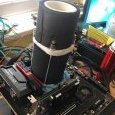
Condition is as you can see on the pictures.

Special custom MSI 2080Ti Lightning, modified PCB with shunt mod. Card has flashed MSI secret 1000W (in theory no power limit) bios only few people have as far as I know.

Card has unlocked voltage control (up to 2Vcore) with MSI AfterBurner Extreme which I will include. 
Prepared for liquid nitrogen but was never used on it due to financial reasons. Card was only used on watercooling.
Comes with original cooler, oled panel doesnt work and with original box that isnt complete.
Being modified card this card doesnt have warranty anymore.
Price : 1300E + shipping

56757404_624620284632173_5178309246923571200_n.jpg

57154704_624207254673476_7779087329641103360_n.jpg

60222580_639783969782471_2051148527983132672_n.png

Screenshot_1.png

Screenshot_7.png

  • Don_Dan locked this topic
Guest
This topic is now closed to further replies.

Account

Navigation

Search

Search

Configure browser push notifications

Chrome (Android)
  1. Tap the lock icon next to the address bar.
  2. Tap Permissions → Notifications.
  3. Adjust your preference.
Chrome (Desktop)
  1. Click the padlock icon in the address bar.
  2. Select Site settings.
  3. Find Notifications and adjust your preference.