Linuxfan Posted April 13, 2011 Share Posted April 13, 2011 Glad you had fun! Quote Link to comment Share on other sites More sharing options...
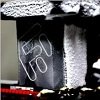
SteveRo Posted April 14, 2011 Share Posted April 14, 2011 In my last picture attached - I am relying on conformal coating only, should I put some armaflex over the back of the card? What about the pcie slot? Quote Link to comment Share on other sites More sharing options...
Linuxfan Posted April 14, 2011 Author Share Posted April 14, 2011 Definitely need to cover the PCIe slot so you don't get moisture in there. Also make sure the board doesn't hold water so cover with eraser or towel or something. Quote Link to comment Share on other sites More sharing options...
MTP04 Posted April 14, 2011 Share Posted April 14, 2011 Good first dice run. Next time break up the dice into smaller pieces, that way the dice will make better contact with the pot. Quote Link to comment Share on other sites More sharing options...
Crew Don_Dan Posted April 14, 2011 Crew Share Posted April 14, 2011 Nice first run Steve! Quote Link to comment Share on other sites More sharing options...
SteveRo Posted April 14, 2011 Share Posted April 14, 2011 What is best for the pcie slot - eraser all around where the card inserts? Seems like it would be hard to pack the eraser under the pot where the card meets the slot? Quote Link to comment Share on other sites More sharing options...
MTP04 Posted April 16, 2011 Share Posted April 16, 2011 Definitely surround the pcie slot with armaflex or eraser and make sure you have vaseline on the card contact pins and pcie slot but don't pack it in. Then just use paper towel under the pot when you plug the card in. Quote Link to comment Share on other sites More sharing options...
SteveRo Posted April 16, 2011 Share Posted April 16, 2011 Thanks MTP04, will do! Quote Link to comment Share on other sites More sharing options...
Recommended Posts
Join the conversation
You can post now and register later. If you have an account, sign in now to post with your account.