

Antinomy
-
Posts
1985 -
Joined
-
Last visited
-
Days Won
53
Antinomy's Achievements






-
No idea, I didn't have any Abit 865/875 boards. The problem with Asus was that it had problems initializing TM2 correctly which only mobile Prescotts seem to have. We have a saying - "Woe from Mind" which kinda explains the situation. Asus had too many checks and it summed up in an exception that crashed them altogether. I bypassed the problem ones and voila. I've used IDA to disassemble the problem parts.
-
Hex editor. You don't need a special microcode for mobiles, it's the same as desktops. It wasn't about microcodes at all. In fact when we talk about compatibility, it's 95% not the microcodes.
-
When you thought everything should be found after 20 years, lol. Another update to you! Change list: 1) Added support for Mobile Pentium 4 Prescott CPUs. EIST is enabled so you can use any MSR utility of choice to change the multiplier (CrystalCPUID, CPUMSR, RMClock, etc.) 2) Added tRAS values 9 and 10 to BIOS setup 3) Fixed help message for Advanced memory settings section 4) Set default system date to 01/01/2024 http://valid.x86.fr/6pmnfz Should work with P4C800-E, P4P800 2.0 and P4P800 SE. Issues are reported with P4C800 (timings are not set). I don't have this board so can't check myself. P4P800 series (-SE too) work with memory in slots 1 and 3 only. benchBIOS v1.2.zip
-
I.nfraR.ed - NF7 V2.0 @ 306.8MHz - 306.83 MHz Reference Frequency
Antinomy replied to Tzk's topic in Result Discussions
Congratulations, great work! -
Dry_Ice777 - DDR2 SDRAM @ 772MHz - 772 MHz Memory Frequency
Antinomy replied to Ananerbe's topic in Result Discussions
Excellent score! -
I didn't change the code. I just labeled two dividers in the menu, like I said - values 0000 and 1101. O.K. I'll mod it. I found out that my BIOS works on P4P800/SE only with RAM in slots 1 and 3. With slots 2/4 it stops at POST A4. But I need 2/4 to use RAMbooster in slot 1.
-
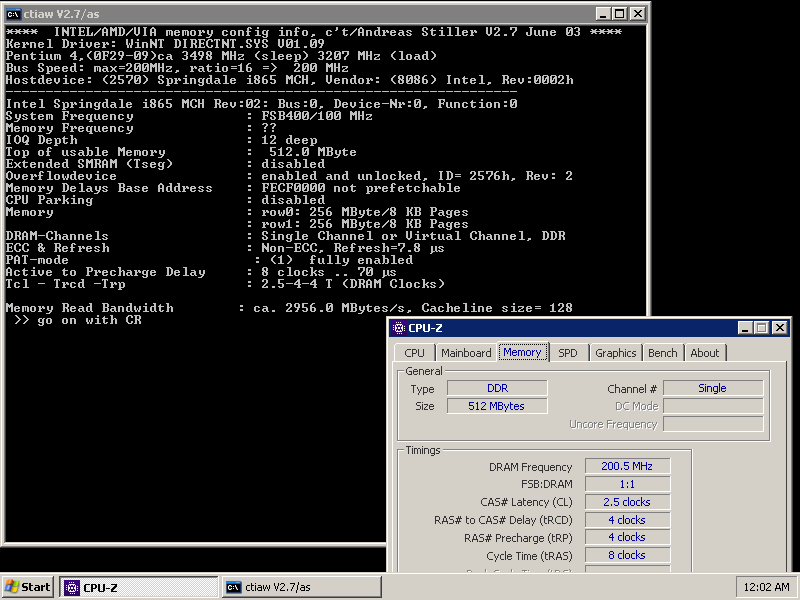
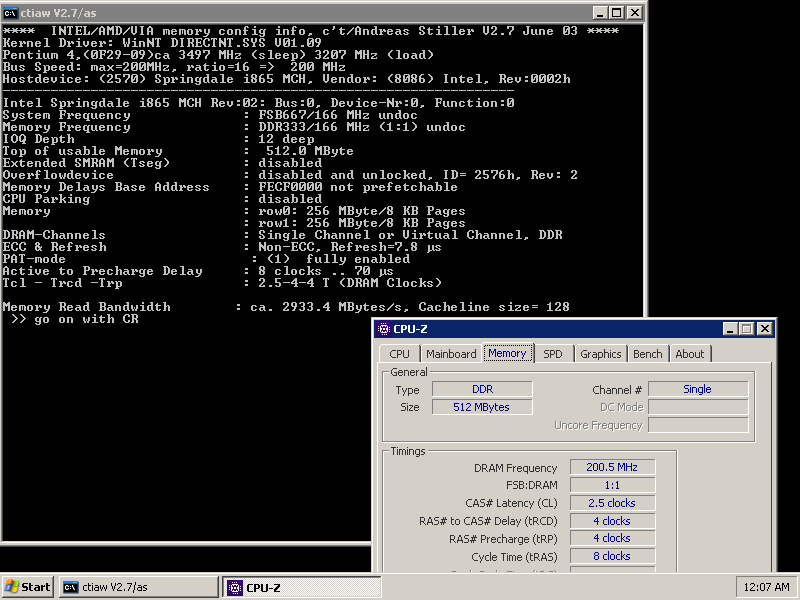
Something new for you! Found out two new strap/divider combinations: 1:1 (100MHz strap) and 1:1 (166MHz strap) FSB 100 1:1 FSB166 1:1 Feel free to play with it. I've updated the benchBIOS to version 1.1. As you can see, PAT works on these dividers with 865PE boards too (checked on P4P800 and P4P800 SE). @Tzk@digitalbath you might be interested in this finding. Digitalbath you might want to add this to your P4P800 SE BIOS. FSB100 is value 0000 and FSB166 is 1101. benchBIOS v1.1.zip
-
The day that Raspberryhex made a submission. I can call this a good year.
-
Super! Congratulations, excellent work.
-
WTG, P-J!
-
It's not about fixing the old hardware problem, is it?
-
https://hwbot.org/submission/5289039_ideafix_hwbot_x265_benchmark___1080p_xeon_lv_1.66_ghz_0.78_fps
-
Has the multisocket bug been fixed? When the score is detected as 1xCPU but it's 2x and even I can edit it.
-
R-998 - K6-2 333MHz @ 402MHz - 5h 54min 36sec 836ms SuperPi - 32M
Antinomy replied to Dim0n527's topic in Result Discussions
Amazing efficiency! Congratulations, keep pushing. -
I think it's BH-5 but don't know for sure. I just bin them all as "Winbonds".

