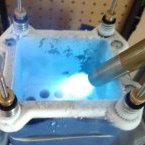
mllrkllr88 Posted February 6, 2018 Share Posted February 6, 2018 (edited) Hey guys, I have been saving this card for a rainy day, but I never seem to get a chance to run this one and my schedule is full with other projects. It was binned from a few. Mods: -Vcore adjust + enable/disable switch -Mem adjust + enable/disable switch -6x1000uF high quality caps for core -OCP/Coldslow (cannot confirm with water tests) I hooked it up and ran some quick proof of life tests today: Price: $85 shipped USA priority ($75 + Actual ship cost for international), open to trade ideas Edited February 9, 2018 by mllrkllr88 Link to comment Share on other sites More sharing options...
ozzie Posted February 7, 2018 Share Posted February 7, 2018 you have pm Link to comment Share on other sites More sharing options...
mllrkllr88 Posted February 13, 2018 Author Share Posted February 13, 2018 Sold, thanks! Link to comment Share on other sites More sharing options...
Recommended Posts