Skip to content
View in the app

A better way to browse. Learn more.

HWBOT Community Forums

A full-screen app on your home screen with push notifications, badges and more.

To install this app on iOS and iPadOS
  1. Tap the Share icon in Safari
  2. Scroll the menu and tap Add to Home Screen.
  3. Tap Add in the top-right corner.
To install this app on Android
  1. Tap the 3-dot menu (⋮) in the top-right corner of the browser.
  2. Tap Add to Home screen or Install app.
  3. Confirm by tapping Install.

[FS] worldwide - Remaining G470 CPUs

Featured Replies

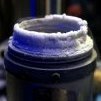
Up for sale last 3 remaining G470 CPUs, which I haven't run in ages. Each is a complete question mark as I never really went forward with this project. Even the Albrecht record CPU is from this lot, which still rules X265 for G470.


All sold


I still also have many old CPUs left which I can let go.


IMG_0879.JPG

IMG_0880.JPG

Edited by Luumi

Guest
This topic is now closed to further replies.

Account

Navigation

Search

Search

Configure browser push notifications

Chrome (Android)
  1. Tap the lock icon next to the address bar.
  2. Tap Permissions → Notifications.
  3. Adjust your preference.
Chrome (Desktop)
  1. Click the padlock icon in the address bar.
  2. Select Site settings.
  3. Find Notifications and adjust your preference.