Luumi Posted February 16, 2021 Share Posted February 16, 2021 Try on ln2 Quote Link to comment Share on other sites More sharing options...
Eisbaer798 Posted February 16, 2021 Share Posted February 16, 2021 (edited) I'll meet gigelz in two weeks and we'll bench a little with LN2. I'm curious what is still possible with this CPU. But I think the board is the limiting factor here. I absolutely need a new ud3r or your Team Finland Edition REX ? Do you have any tips for me on how I can get the most out of a quad? Edited February 16, 2021 by Eisbaer798 Quote Link to comment Share on other sites More sharing options...
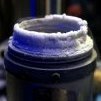
Eisbaer798 Posted May 29, 2021 Share Posted May 29, 2021 have now tested the CPU with LN2 ==> unfortunately made no difference on the max FSB Quote Link to comment Share on other sites More sharing options...
Recommended Posts
Join the conversation
You can post now and register later. If you have an account, sign in now to post with your account.