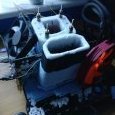
Matt26LFC Posted August 4, 2022 Share Posted August 4, 2022 (edited) Hi, not really doing any GPU benching anymore so can let this go Pot is insulated and comes with thermal probe, comes with original box too Looking for £180+Shipping Edited August 21, 2022 by Matt26LFC Price change 2 Link to comment Share on other sites More sharing options...
Matt26LFC Posted August 12, 2022 Author Share Posted August 12, 2022 Bump Link to comment Share on other sites More sharing options...
Matt26LFC Posted August 19, 2022 Author Share Posted August 19, 2022 Bump Link to comment Share on other sites More sharing options...
Matt26LFC Posted August 21, 2022 Author Share Posted August 21, 2022 Price drop to £180+Shipping Link to comment Share on other sites More sharing options...
Matt26LFC Posted September 11, 2022 Author Share Posted September 11, 2022 Bump Link to comment Share on other sites More sharing options...
Matt26LFC Posted October 2, 2022 Author Share Posted October 2, 2022 SOLD Link to comment Share on other sites More sharing options...
Recommended Posts