
Matt26LFC
-
Posts
1049 -
Joined
-
Last visited
-
Days Won
3



Matt26LFC's Achievements






-
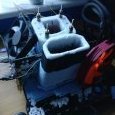
Matt26LFC - Core i7 950 @ 5662MHz - 4sec 203ms wPrime - 32m
Matt26LFC replied to M1RROR's topic in Result Discussions
Cheers fellas, was a pain but fun haha -
Well done, great run!
-
Absolute monster! Great work
-
Amazing run! Great work
-
Great work Vin!
-
Strong!
-
Amazing battle! Great runs from both of you!
-
Amazing battle! Great runs from both of you!
-
Nice runs! Great work beating some of mads runs
-
Yeah was hoping for better, this chip should have clocked a bit higher than my other score too. Not that it can compete with Luumi's new 3570K anyway, so need to bin a ton more now anyway haha
-
Great score!
-
Checked my box had no such mounting mechanism
-
Thanks for the advice, I may end up giving that ago ?
-
Yeah wanted to use my Trex but the rods didn't fit. The volcano rods are thicker and fit the socket. Not sure what anyone else did on this board for mounting a pot
-
Nice work! Guess I'll be revisiting again haha Had similar problems last time I ran crashing on screenshot, quite annoying!