-
Posts
7 -
Joined
-
Last visited
Kovan Yang's Achievements





-

Kovan Yang - DDR5 SDRAM - 5001.8 MHz Memory Frequency
Kovan Yang replied to unityofsaints's topic in Result Discussions
@LeeghoofdThis is a 5GHz oscilloscope measurement film taken today. The upper oscilloscope is measuring the CPU BCLK The oscilloscope below is measuring the Mem Clock https://www.youtube.com/shorts/7eEADeFYcmU After the channel is disabled, the BIOS SMBIOS report memory size miscalculates, so the display is incorrect to 24GB. And Fixd Memory Size show " 24GB" , https://valid.x86.fr/zhwcqc Thanks! -
msi MSI Z490 MEG Family Test BIOS
Kovan Yang posted a topic in Comet Lake (Z490) & Rocket Lake (Z590) OC
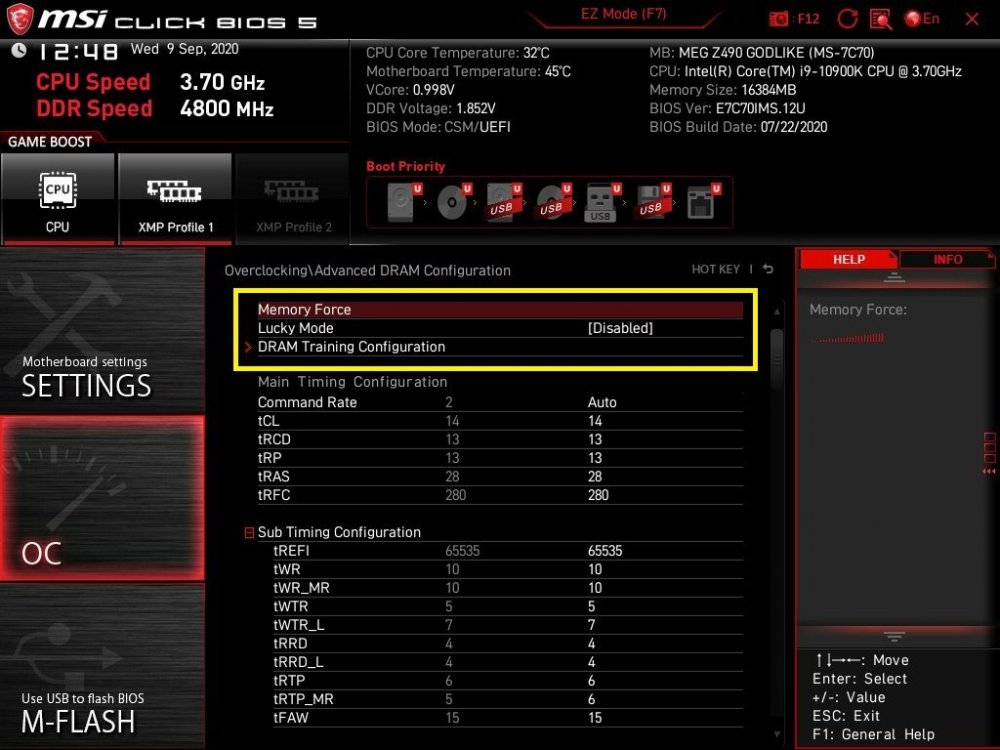
The latest version of the test BIOS for MSI MEG series ( GODLIKE , ACE , UNIFY , I-UNIFY ) Add New Mem O.C Feature 1. Lucky Mode: Increases Memory O.C stability 2. Power Down Control (Try new tricks on Memory Latency) Power Down Mode > PPD PPD > 0, tXP > 5 MEG Z490 GODLIKE 7C70IMS.12U MEG Z490 ACE 7C71IMS.12U MEG Z490 UNIFY 7C70IMS.A2U MEG Z490I UNIFY 7C77IMS.12W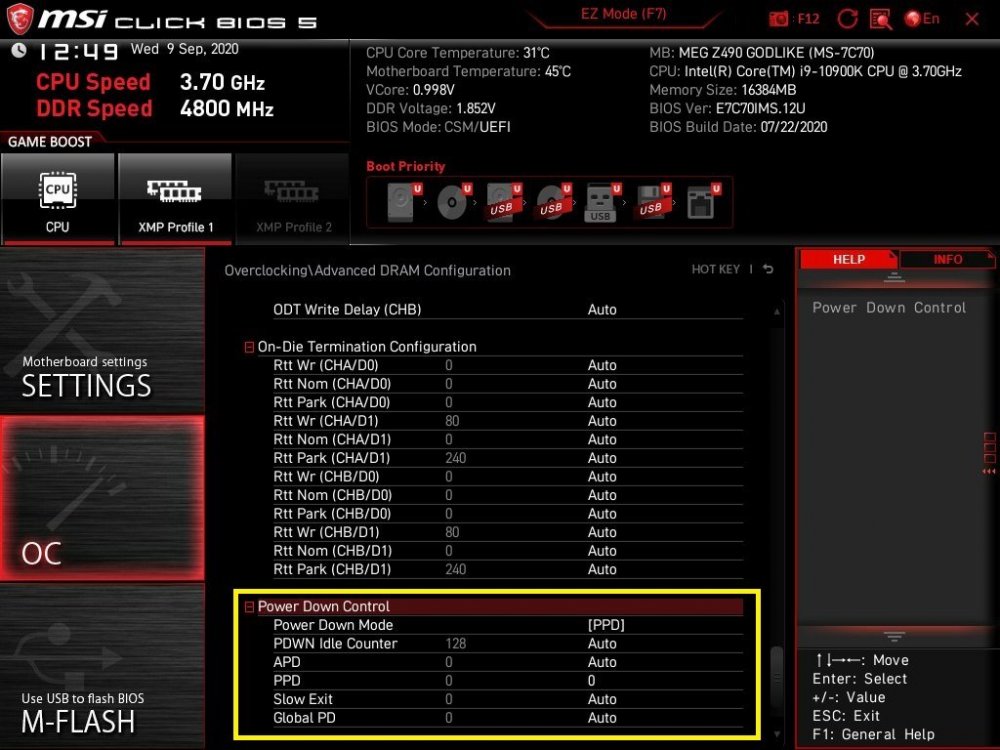
-
Toppc - DDR4 SDRAM - 3008.4 MHz Memory Frequency
Kovan Yang replied to Radi's topic in Result Discussions
Hynix !!??? -
Good job!
-
Kovan Yang - DDR4 SDRAM @ 2765.6MHz - 2765.6 MHz Memory Frequency
Kovan Yang replied to NATA 58's topic in Result Discussions
https://imgur.com/a/9yXik5t Option lock, I can't choose :( -
Toppc - DDR4 SDRAM - 2501.2 MHz Memory Clock
Kovan Yang replied to dhenzjhen's topic in Result Discussions
OMG!!! -
Toppc - DDR4 SDRAM - 2175.9 MHz Memory Clock
Kovan Yang replied to marmott's topic in Result Discussions
Congratulations~~ O.C Maseter