bob(nz)
-
Posts
298 -
Joined
-
Last visited
-
Days Won
2
bob(nz)'s Achievements






-

Corsair DDR5 invitational official competition thread
bob(nz) replied to Leeghoofd's topic in HWBOT Competitions
And it seems a dance off could really be on the cards @Leeghoofd ?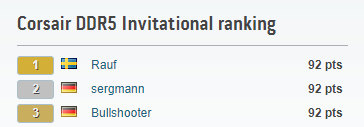
-
Corsair DDR5 invitational official competition thread
bob(nz) replied to Leeghoofd's topic in HWBOT Competitions
Magic spray really is magic ? -
Nice run for DICE!!
-
Corsair DDR5 invitational official competition thread
bob(nz) replied to Leeghoofd's topic in HWBOT Competitions
Lets hope that stage 3 is maximum memory clock - DIMM Slot A on my Apex seems to be dead (54/55), so no more 32m for me And I still have ln2 dammit ? -
Corsair DDR5 invitational official competition thread
bob(nz) replied to Leeghoofd's topic in HWBOT Competitions
According to Alby......yes ? -
Corsair DDR5 invitational official competition thread
bob(nz) replied to Leeghoofd's topic in HWBOT Competitions
Now I understand why you said that (never used win10 for SPI in my life). Scores on same settings are all over the place..... -
OGS - DDR5 SDRAM @ 7998MHz - 6sec 390ms PYPrime - 2b with BenchMate
bob(nz) replied to Rauf's topic in Result Discussions
Very nice work young Harry!! -
Oh welcome to the party....
-
Nice!
-
Corsair DDR5 invitational official competition thread
bob(nz) replied to Leeghoofd's topic in HWBOT Competitions
You can start April 8th @Splave -
Coming along nicely....
-
Corsair DDR5 invitational official competition thread
bob(nz) replied to Leeghoofd's topic in HWBOT Competitions
@Leeghoofd Hey Alby - do we need 2 SPD tabs for screenshots, or you happy with 1? Details are in the benchmate details anyway - but just to make sure there are no tears later -
Corsair DDR5 invitational official competition thread
bob(nz) replied to Leeghoofd's topic in HWBOT Competitions
.gif.5e49f10de6d8e4e9c40e6d971d2d04d4.gif)
-
Corsair DDR5 invitational official competition thread
bob(nz) replied to Leeghoofd's topic in HWBOT Competitions
You mean your sticks don’t really do 8k 28-28-28?? ?? -
I would love to add it to my collection if I can Let me know postage via PM and we try to work something out