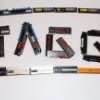
TAGG Posted April 11, 2017 Share Posted April 11, 2017 (edited) At the moment I have the following stuff for sale: 2 Kits of 3 modules Corsair XMS3 1600MHz CL7 with Elpida BBSE, not binned, only memtest @specs (one kit comes with box, the other not) 25€ per kit + Shipping 1 kit of 2 modules Corsair XMS3 1600MHz CL7 with PSC, not binned, only memtest @specs 15€ + shipping If you take all 8 Sticks --> 60€ incl. Shipping in EU More RAM to be added soon Trades for following stuff possible(I will compensate you for the difference of course): ASUS M9Apex, 7700K, T-Bird Slot A Chips Edited May 2, 2017 by TAGG Link to comment Share on other sites More sharing options...
TAGG Posted April 18, 2017 Author Share Posted April 18, 2017 Up Link to comment Share on other sites More sharing options...
TAGG Posted May 2, 2017 Author Share Posted May 2, 2017 Pricedrops Link to comment Share on other sites More sharing options...
unityofsaints Posted January 17, 2018 Share Posted January 17, 2018 Is the BBSE still available? Link to comment Share on other sites More sharing options...
mortisboy Posted January 23, 2018 Share Posted January 23, 2018 I'm interested for the psc kit, how much for shipping in Greece post code 11476 with tracking? Link to comment Share on other sites More sharing options...
TAGG Posted January 23, 2018 Author Share Posted January 23, 2018 None of the Kits are still availible... I forgot the thread, please close Link to comment Share on other sites More sharing options...
Recommended Posts