Matt26LFC Posted March 9, 2021 Share Posted March 9, 2021 Dam! 8.1Ghz Impressive work man!! 1 Quote Link to comment Share on other sites More sharing options...
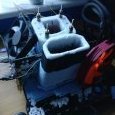
Bones Posted March 9, 2021 Share Posted March 9, 2021 Thanks - I believe I could have got even more from it but was running low on Ln2 and the system was acting buggy so shut it down. I even came close to doing a run around 8250 but it locked up on iteration 0. Thats how it goes sometimes. I'll give it another go later. Quote Link to comment Share on other sites More sharing options...
Recommended Posts
Join the conversation
You can post now and register later. If you have an account, sign in now to post with your account.