lanpartyut Posted April 1, 2018 Share Posted April 1, 2018 (edited) hello,everyone. i want to buy these ddr2 kit suck as : team xtreem ddr2 1066c4 1gx2 1200c5 1gx2 1300c6 1gx2. if you can sell it to me,please donnot hestate to pm me . Many thanks! Edited April 1, 2018 by lanpartyut Link to comment Share on other sites More sharing options...
lanpartyut Posted April 5, 2018 Author Share Posted April 5, 2018 bomp Link to comment Share on other sites More sharing options...
lanpartyut Posted April 14, 2018 Author Share Posted April 14, 2018 bomp Link to comment Share on other sites More sharing options...
lanpartyut Posted June 22, 2018 Author Share Posted June 22, 2018 still look Link to comment Share on other sites More sharing options...
Aleslammer Posted June 22, 2018 Share Posted June 22, 2018 Team Extreme fairly rare in US. More than few kits more readily available that should meet the specs you mentioned. My own search for some decent DDR2 http://warp9-systems.proboards.com/thread/624/ddr2-binning 1 Link to comment Share on other sites More sharing options...
lanpartyut Posted June 23, 2018 Author Share Posted June 23, 2018 23 hours ago, Aleslammer said: Team Extreme fairly rare in US. More than few kits more readily available that should meet the specs you mentioned. My own search for some decent DDR2 http://warp9-systems.proboards.com/thread/624/ddr2-binning thanks,but i just want to find the team xtreem kits Link to comment Share on other sites More sharing options...
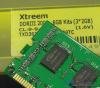
suzuki Posted July 14, 2018 Share Posted July 14, 2018 Something like this ? i dunno anyone else with such a kit . Make an offer if interested. Link to comment Share on other sites More sharing options...
lanpartyut Posted July 15, 2018 Author Share Posted July 15, 2018 18 hours ago, suzuki said: Something like this ? i dunno anyone else with such a kit . Make an offer if interested. many thanks ,you got pm:) Link to comment Share on other sites More sharing options...
Recommended Posts