shar00750 Posted April 18, 2020 Share Posted April 18, 2020 (edited) more cold bro and you can fly? Edited April 18, 2020 by shar00750 1 Quote Link to comment Share on other sites More sharing options...
davestarrr Posted April 18, 2020 Share Posted April 18, 2020 awesome chip 1 Quote Link to comment Share on other sites More sharing options...
MaddMutt Posted April 18, 2020 Share Posted April 18, 2020 Any pictures? The right memory in the EVGA will hit 4000_CL-12-11-28/220 1T. Great work :-) 1 Quote Link to comment Share on other sites More sharing options...
SparkysAdventure Posted April 18, 2020 Share Posted April 18, 2020 Is this phase or water? 1 Quote Link to comment Share on other sites More sharing options...
Nazar Posted April 18, 2020 Share Posted April 18, 2020 See your OC formula back? Great! 1 Quote Link to comment Share on other sites More sharing options...
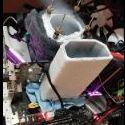
chispy Posted April 18, 2020 Share Posted April 18, 2020 (edited) 7 hours ago, Sparky's__Adventure said: Is this phase or water? Kryo Unit Dual Compressors Single Stage Phase Unit made by Fugger from extremesystems.com 4 hours ago, Nazar said: See your OC formula back? Great! Thanks my brother . I have resurrected and fixed this dead motherboard but only has one pci express working and everything else is dead lol , now is an awesome board for 2D only @ Sharon , Dave and MaddMutt Thank You ! Stay Home , Stay Safe from covid19 everyone. Edited April 18, 2020 by chispy 2 Quote Link to comment Share on other sites More sharing options...
Recommended Posts
Join the conversation
You can post now and register later. If you have an account, sign in now to post with your account.