Skip to content
View in the app

A better way to browse. Learn more.

HWBOT Community Forums

A full-screen app on your home screen with push notifications, badges and more.

To install this app on iOS and iPadOS
  1. Tap the Share icon in Safari
  2. Scroll the menu and tap Add to Home Screen.
  3. Tap Add in the top-right corner.
To install this app on Android
  1. Tap the 3-dot menu (⋮) in the top-right corner of the browser.
  2. Tap Add to Home screen or Install app.
  3. Confirm by tapping Install.

ln2 pots for sale

Featured Replies

kingpin pots for sale:

venom new unused boxed sold

f1 dark used couple of times boxed £150 + shipping

tek 9 fat with TEK-9 FAT 8 Point + TURING/VOLTA Mounting Bracket boxed £200 + shipping

tek 9 slim with TEK-9 FAT 8 Point + TURING/VOLTA Mounting Bracket boxed new £130 + shipping

open to reasonable offers

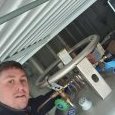
1570789632629.JPEG

1570789633114.JPEG

1570789634094.JPEG

1570789635122.JPEG

Edited by Seal2fast

  • Don_Dan locked this topic
Guest
This topic is now closed to further replies.

Account

Navigation

Search

Search

Configure browser push notifications

Chrome (Android)
  1. Tap the lock icon next to the address bar.
  2. Tap Permissions → Notifications.
  3. Adjust your preference.
Chrome (Desktop)
  1. Click the padlock icon in the address bar.
  2. Select Site settings.
  3. Find Notifications and adjust your preference.