-
Posts
661 -
Joined
-
Days Won
1
Hiwa's Achievements






-
 better no risk even if works Ivan, switch back to LN2 when you go cold, i don't do any testing at ambient always single stage -50 to make sure you don't hit any limit anywhere.
 -
ROG Maximus XII Apex
Hiwa replied to FireKillerGR's topic in Comet Lake (Z490) & Rocket Lake (Z590) OC
one more good setting to try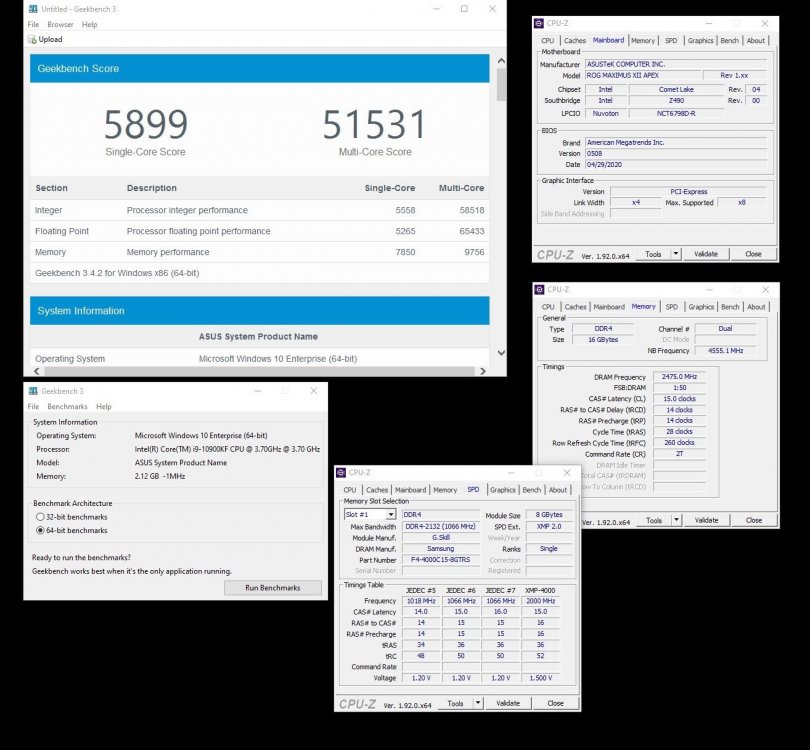
-
ROG Maximus XII Apex
Hiwa replied to FireKillerGR's topic in Comet Lake (Z490) & Rocket Lake (Z590) OC
Just for fun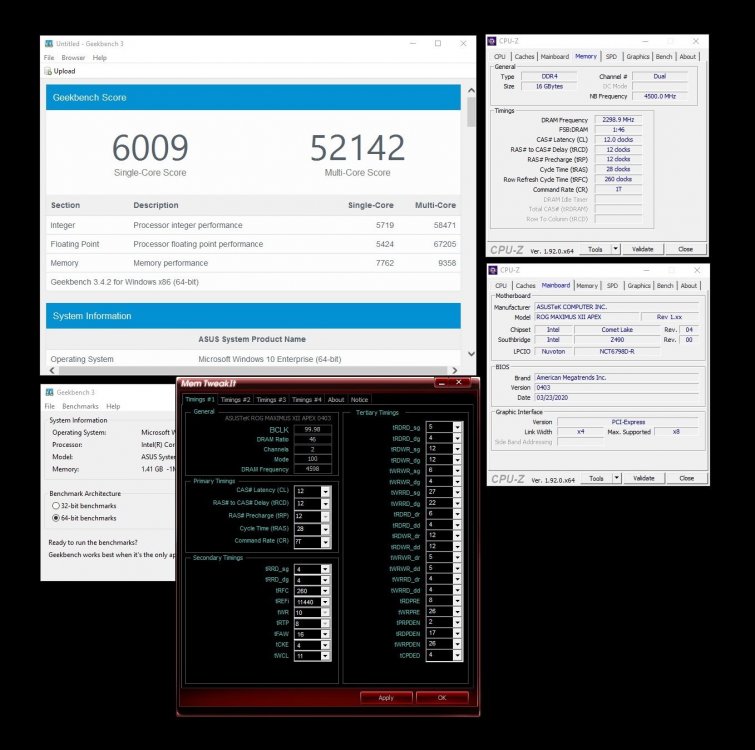
-
ROG Maximus XII Apex
Hiwa replied to FireKillerGR's topic in Comet Lake (Z490) & Rocket Lake (Z590) OC
nice Dumo Cold time -
Well done safedisk, Apex FTW
-
safedisk - Core i9 10900K @ 7461MHz - 4min 1sec 766ms SuperPi - 32M
Hiwa replied to Don_Dan's topic in Result Discussions
Can't wait to see sub 4 -
bianbao - DDR4 SDRAM - 3332.7 MHz Memory Frequency
Hiwa replied to ground's topic in Result Discussions
Well done -
3800/1900 is a dream under ln2 Not easy to find cb free when high fukclock
-
ROG Maximus XI
Hiwa replied to Alex@ro's topic in Skylake/Kaby Lake/Coffee Lake (-X) (Z170/Z270/Z370/X299) OC
Welcome back SoF -
nice one man
-
The official G.Skill qualifer discussion thread
Hiwa replied to websmile's topic in HWBOT Competitions
Validation Time :D -
The official G.Skill qualifer discussion thread
Hiwa replied to websmile's topic in HWBOT Competitions
Hazzan big Sandbag -
G.SKILL Announces OC World Cup 2018 Live Qualifier and Grand Final Rules
Hiwa replied to richba5tard's topic in HWBOT News
Not easy making this guy happy seems we are done See you in final with 2 surprises -
The official G.Skill qualifer discussion thread
Hiwa replied to websmile's topic in HWBOT Competitions
Sandbags come on -
I have a brand new board