Jump to content
View in the app

A better way to browse. Learn more.

HWBOT Community Forums

A full-screen app on your home screen with push notifications, badges and more.

To install this app on iOS and iPadOS
  1. Tap the Share icon in Safari
  2. Scroll the menu and tap Add to Home Screen.
  3. Tap Add in the top-right corner.
To install this app on Android
  1. Tap the 3-dot menu (⋮) in the top-right corner of the browser.
  2. Tap Add to Home screen or Install app.
  3. Confirm by tapping Install.

Skylake/Kaby Lake/Coffee Lake (-X) (Z170/Z270/Z370/X299) OC

The sky is the limit

  1. In this thread you can find the fastest Skylake SuperPI 32M overclocking results with CPU at maximum 5003 MHz. Overall Skylake and Kaby Lake Focus: Core i7 6700K / 7700K Focus: Core i5 6600K / 7600K Focus: Core i3 7350K Focus: Non K Sku

  2. Alright, let's kick this off ... :celebration: Tested Batches: No code has to be inserted here. <iframe src="https://docs.google.com/spreadsheets/d/1LkBXyEfwna60B51u1OCs57bOsnyVz8oBsBctvENF4oE/pubhtml?widget=true&headers=false"></iframe>

  3. In this thread you can find the latest Skylake Z170 motherboards, BIOSes, overclocking tools, statistics. We will try to keep it updated with the latest tools and BIOSes. Feel free to share your information and software if it's not in the opening post. IF YOU WANT TO SPREAD THE BIOSES ON YOUR OWN FORUM OR WEBSITE, PLEASE LINK TO THIS THREAD AND NOT DIRECTLY TO THE DOWNLOAD URLS. THANKS! Thanks to: Coolice, Stasio, Vladutz20, Hiwa, X-rated, pepinorang Last updated: 15/11/2016 Skylake Statistics 108828 overclocking results 10440 overclockers [table=head]{colsp=2}Hardware Statistics Top-5 Motherboard Brands | ASUS, MSI, GIGABYTE, ASRock, Clevo Top-5 …

  4. Started by Massman,

    Kaby Lake Statistics 964 overclocking results 132 overclockers [table=head]{colsp=2}Hardware Statistics Top-5 Motherboard Brands | ASUS, GIGABYTE, MSI Top-5 Mainboards (users) | GIGABYTE Z270X-Gaming SOC, ASUS ROG Maximus IX Formula, ASUS ROG Maximus IX Hero, MSI Z270 XPower Gaming Titanium, ASUS ROG Maximus IX Apex Top-5 Mainboards (submissions) | GIGABYTE Z270X-Gaming SOC, ASUS ROG Maximus IX Apex, ASUS ROG Maximus IX Formula, MSI Z270 XPower Gaming Titanium, ASUS ROG Maximus IX Hero Top-5 Memory Brand (users) | G.SKILL, Corsair, Samsung, Kingston, GALAX Top-5 CPU SKU | Core i7 7700K, Core i7 7500U, Core i5 7600K, Core i5 7200U, Core i3 7350K Top-5 CPU Coo…

    • 0 replies
    • 6.6k views
  5. In this thread we maintain a list of helpful overclocking guides for overclocking Z170 and Skylake CPUs. The list consists of English and international languages, written and video, general and detailed overclocking stuff. Feel free to post a message with links to other guides! English Guides - General Skylake Overclocking ROG Maximus VIII Series Guide by Coolice: http://forum.hwbot.org/showthread.php?t=142991 & http://www.mediafire.com/view/s1d3wtulam1bku7/ocguide0722c.pdf Xtremesystems Official ASRock z170 OC Formula guide by Splave: http://www.xtremesystems.org/forums/showthread.php?292331-***Official-ASRock-z170-OC-Formula-Finger-Pop-OC-Bonanza-UKNOWDA…

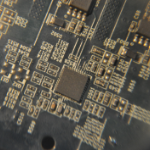
  6. Benefits of ASRock motherboards is continued support and with coffee this is no different. This mod and bios will actually will help them lose money. So make sure to thank Nick Mod point is below, connect both pads with tin/silver ink etc. Flash bios http://picx.xfastest.com/nickshih/asrock/Z17MOCF751A.rar with kabylake CPU, shut down insert coffee and go. XP working fine ASRock nor I take any liability for HW damage, perform at your own risk. Enjoy! (pic courtesy of HKEPC)

  7. Guest Sandviken
    Started by Guest Sandviken,

    Hello! is there currently a modded BIOS for I9 9900k with ASUS Sabertooth Z170 Mark 1 ?

    • 1 reply
    • 1.6k views
  8. ofc rules are the same as always, 5003 max core/cache Kinda surprised nobody made a thread separate from the Sky/Kaby rankings.

  9. Guest barbonenet
    Started by Guest barbonenet,

    Hi guys, with this Guide you will be able to use your usb3.0 card, or the integrated card 3.1 AsMedia on your Board! First of all, what you need: AsMedia.zip TODRIVERS.zip Usb 2.0 4port Hub Insert these file inside one ssd drive that later you will attach to the pc with xp already installed, (extract these zip file in these ssd!); Enable in BIOS AsMedia USB 3.0 3.1 Controller; Install your copy of WindowsXP by following the guide that you can find on this forum; When XP is installed, you can use only mouse and keyboard on usb BLACK ports(perhaps in the blue too, but it doesnt matter); Copy the file USBD.SYS that you find inside d:\T…

  10. Hi, As per G.Skill OCWC 2019 Rule like every year before, all the OC / Beta /Test BIOSes need to be made public. So here's my collection of Test BIOSes: https://drive.google.com/drive/folders/1YS_X48XZZRUVB3qCStNXX4_gu-W3JBP5?usp=sharing At the moment it contained Test BIOS from MSI Z390I EDGE AC, MSI Z370I Gaming Pro Carbon, and a few more, I'll update a few more before the deadline if needed. FPT Flashing tool also included. (Note - update May 14 2019) I don't make separate thread for all individual boards at the moment, still need to test all these boards before departing for competition. After testing I might make a notes for these file…

  11. Started by t!n0,

    MSI now supports overclocking non-K Skylake CPUs on a wide choice of Z170 motherboards. If you are looking for the right BIOS version to fiddle around a bit yourself, look no further You can find all the BIOSses using this link: https://mega.nz/file/woFVVKjL#ut8PQY8BK1wRZkXMzFQNIL5s14oikaIBLb1Ga5fZD90 Like many of you probably would have guessed and find unneeded to mention, a little disclaimer on this matter: *Overclocking Intel non-K CPUs is not officially supported by Intel and the BIOS versions created by MSI unlocking this option are all beta versions. Intel may choose to disable this option at any time. At no point MSI can …

  12. Started by funsoul,

    Hiya folks Anyone happen to have an ln2 bios for this board? The one here seems corrupted https://xdevs.com/guide/e299ocg/#biost tia and happy benching!

  13. As you could see already coffe lake cpu 's can run on the Asus Maximus IX Apex motherboard. Full steps required for making this happen : #1 Hardware mod Do the following modifications : Short the following pads in order to flash the bios file : Solder the following points: #2 Bios flash Download bios file from here: https://drive.google.com/open?id=1YbY993uzGtFBy3y-IBPtT_bLtYnF4H3T EDIT 16/10/2018 BIOS 0094 Added support for future processors https://drive.google.com/file/d/1XF59GuJbHDmCmc8JWZnZGTpzrMqhCBoI/view?usp=sharing …

  14. Started by elmor,

    New try Use latest official BIOS. There's nothing new in terms of LN2 overclocking, rely on your previous experiences and the M8/M9 guides. OCPack 1003b (includes TurboV Core, MemTweakIt, ROG Connect Plus, OC Panel II FW)

  15. Started by Djeff67,

    i cant seem to download this profile with same specs but better settings and performance

    • 0 replies
    • 905 views
  16. Hi, As requirement for G.Skill OCWC Final, I need to make all my software and tools publicly available for MSI Z370I Gaming Pro Carbon AC that I'm probably going to use for Memory Clock stage. So here is the link to my google Drive latest test OC BIOS and Command Center Lite for the Z370I Gaming Pro Carbon MSI sent me: https://drive.google.com/drive/u/1/folders/1o6ho3cumjOltmyYeAe_ZnMIlYwBQ4xj5 Content: - Official 1.3 BIOS - T.O2 and T.O4 BIOS - FPT Tool for flashing - Command Center Lite for finetuning in OS - (not important for OC - InSpectre Tool to check current protection status for the Spectre/Meltdown) Please…

  17. Started by Fasttrack,

    First time with this superb X299 board. I have come across an issue that is at least peculiar to me. Two cpu's - 1) I7-7740X capable of 6ghz on Nachtfalke's 2hp SS, with 1.58V, running anything up there on Asus Apex VI 2) Superb I5-7640X capable of 6.2ghz at 1.57V on same SS and board. On the AsRock with the latest bios 1.60, it is impossible to go beyond 58 multi. Whatever voltage. As soon as I apply 59 in Formula Drive, the whole system freezes and needs hard reset. I would be really thankful for any help given, since it is a wonderful board and I would not like to part with it. Thank you all

  18. Started by superpatodonaldo,

    Any opportunity to use a cheap xeon (W-2123) on the big OCF?

  19. Started by Alex@ro,

    Within tradition the ROG overclocking series continues with Z390 as well . You can download latest tools here : OC PACK Backup Link OC PACK Bios 0050 for Maximus XI Apex and Gene, can change BCLK with OC PANEL : Maximus XI Apex Maximus XI Gene MAXIMUS XI GENE older bioses : 0057 0044 0043 ( improves oc capability of short-traced dimms such as G.Skill RGB or Galax based A2-pcb) USB Flashback: Few notes: 1. LN2 wise the benching experience with additional voltages is quite same, RSVD switch works most of time for solving CBB issues, some cpu's can s…

  20. Here is all you need to run Coffee Lake ( Refresh ) cpu's on Gigabyte Z170X-SOC-Force-LN2 Just follow the Direction_HWBot.txt file after extracting Mod_Pack.zip

  21. Good evening gents , anyone have windows 7 USB drivers for Z390 motherboards ? I have spent the last 3 days trying to install windows 7 x64bit on my Asus Maximus XI Hero Z390 , until today that i finally manage to get a very old PS2 mouse and PS2 keyboard and was able to transplant a Z370 windows 7 installation to my Z390 MXIHero. The PS2 mouse works flawlessly but the PS2 keyboard it's kind of wonky , sometimes it will be detected and sometimes it will not . But at least i am able to run windows 7 on the new Intel Z390 chipset. i'm restricted to using either a PS2 mouse or a PS2 keyboard because there is only one PS2 conector at the back of the Asus MXI Hero Z390. So f…

  22. Started by suzuki,

    Anyone has the latest bios for this board,as it seems is not retail ? Is there a bios for skylake locked cpu's ? What about kabylake support ?(I do not dare to ask about CFL :)) ) @Bullant @dinos22

  23. topic locked

    • 1 reply
    • 1.2k views
  24. Started by Matsglobetrotter,

    Is there any specific trick to get the GTX 590 to work on a X299 Dark MB. I have 2 GTX 590s and want to test them in SLI on the x299. this can not be done seemingly on the z platforms as i seem to run out of PCIE lanes so just wont start. I want to use it with my 9960 processor. Effectively whatever i do i dont get any GPU output even to get to bios with the GTX 590 on this MB.

  25. Started by Spicer,

    Does anyone have a bios for the board? I asked Hicookie and he said he couldn't find it. Gonna go for some 8700k golds once I have a decent bios Update (1/31/2022): I now have X7D Update (2/23/2023): pulled D1 off my board ES Beta: D1: https://drive.google.com/file/d/1hg7tHR_HXxh71_bNz5lCYnj24TnQpOIy/view?usp=sharing XOC: X7D:https://drive.google.com/file/d/1BroVEoAlCcbNGWgwFumSOFWP8kTF0LRf/view?usp=sharing

Account

Navigation

Search

Configure browser push notifications

Chrome (Android)
  1. Tap the lock icon next to the address bar.
  2. Tap Permissions → Notifications.
  3. Adjust your preference.
Chrome (Desktop)
  1. Click the padlock icon in the address bar.
  2. Select Site settings.
  3. Find Notifications and adjust your preference.