shar00750 Posted September 24, 2021 Share Posted September 24, 2021 Strong card ? what temperature that card can hold? Quote Link to comment Share on other sites More sharing options...
Splave Posted September 24, 2021 Share Posted September 24, 2021 (edited) -170c is fine, need to try on z490/z170 I think this mobo has pcie Gen bug 1.1. GTX 260 showed same. Edited September 24, 2021 by Splave Quote Link to comment Share on other sites More sharing options...
superpatodonaldo Posted September 24, 2021 Share Posted September 24, 2021 xp on z590 = like 1 Quote Link to comment Share on other sites More sharing options...
chispy Posted September 24, 2021 Share Posted September 24, 2021 Awesome card and score , well done ! . Fun video card for a good time and happy bench session :) , i wish i could say the same for newer and latest cards :/ lol the horror stories... Go Sprave go go go ... Quote Link to comment Share on other sites More sharing options...
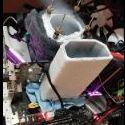
AKM Posted September 24, 2021 Share Posted September 24, 2021 Nice one. Such uniform frost, very nice haha Quote Link to comment Share on other sites More sharing options...
mllrkllr88 Posted September 24, 2021 Share Posted September 24, 2021 Dusting off the cobweb's ? Quote Link to comment Share on other sites More sharing options...
Mikecdm Posted September 24, 2021 Share Posted September 24, 2021 7 hours ago, AKM said: Nice one. Such uniform frost, very nice haha Its a picture of an Ipad mini in front of the gpu Quote Link to comment Share on other sites More sharing options...
unityofsaints Posted September 24, 2021 Share Posted September 24, 2021 It finally happened, one of the last big Haswell / Ivy 3D scores fell! Quote Link to comment Share on other sites More sharing options...
jessec0626 Posted October 12, 2021 Share Posted October 12, 2021 Gnar!! Quote Link to comment Share on other sites More sharing options...
d0minat0r Posted October 13, 2021 Share Posted October 13, 2021 need to create achievement for 100% OC GPU Quote Link to comment Share on other sites More sharing options...
Recommended Posts
Join the conversation
You can post now and register later. If you have an account, sign in now to post with your account.